
How to mark stereo groups (AND, OR, absolute)
Select the drawn stereocenters and choose Object › Stereo group: absolute, Stereo group: new AND (racemic) or Stereo group: new OR (one of two, unknown which). Stereo group: clear removes the mark.
Steps
- Draw the stereocenter with a wedge or hash first. A stereo group says what the drawn configuration means; on an undrawn center it does nothing, and Athanor says "None of the selected atoms is a stereocenter with a drawn configuration".
- Select the structure, or just its stereocenters.
- Choose one from Main menu › Object:
| Command | Means | Label |
|---|---|---|
| Stereo group: absolute | The configuration is exactly as drawn | none |
| Stereo group: new AND | Both configurations are present: a racemic mixture | &1, &2 … |
| Stereo group: new OR | One of the two, but it is not known which | or1, or2 … |
| Stereo group: clear | Removes the group |
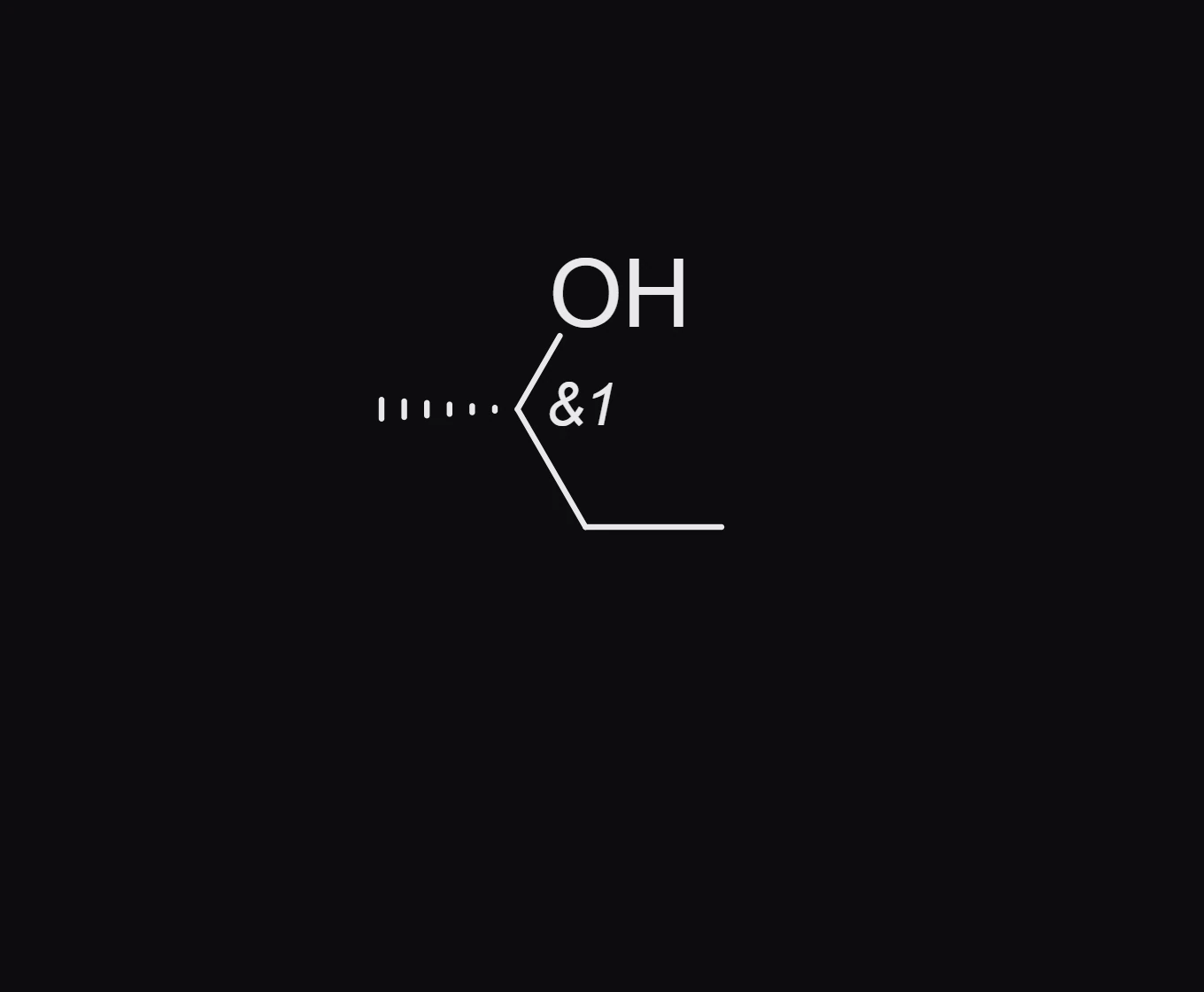
Each new command starts another numbered group, so two centers can be racemic independently of each other.
Is this helpful?
Last updated Nov 12, 2026
- Still stuck? Read the FAQ or contact support.
- Something wrong on this page? Tell us.
- For AI tools: llms.txt