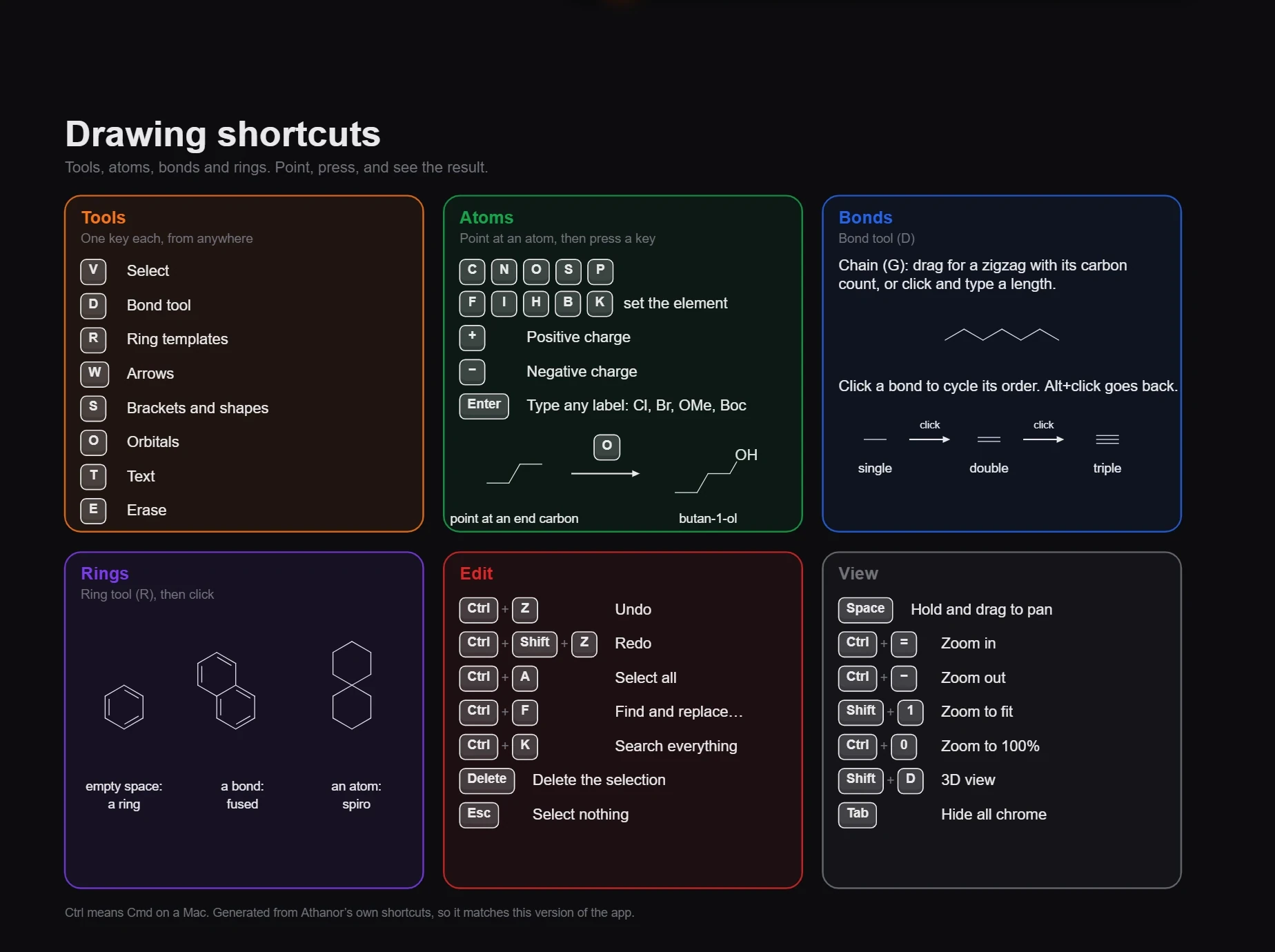
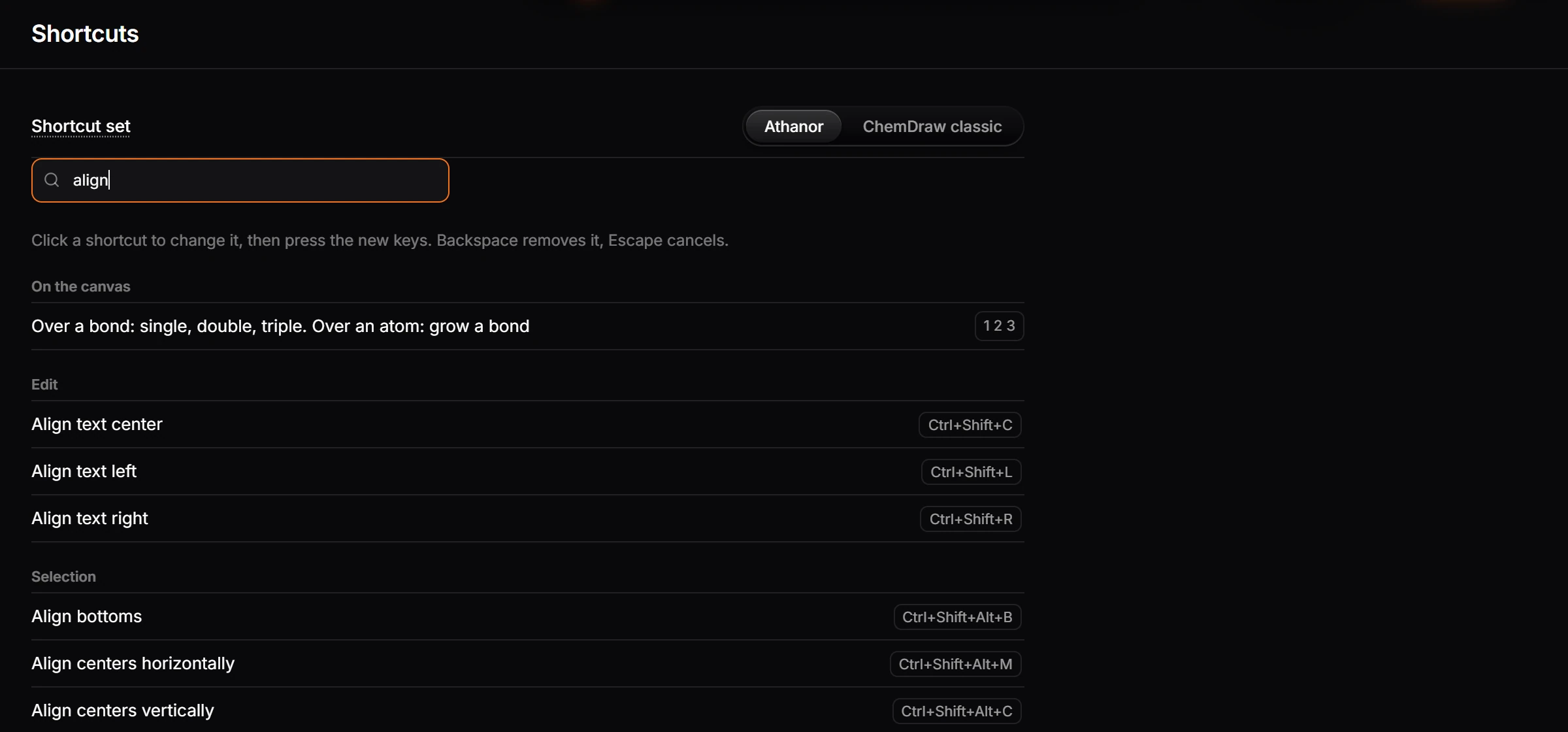
Docs Keyboard shortcuts Keyboard shortcuts Press ? in a document for the Controls cheat sheet, or Ctrl+K and search for a command to see its shortcut. Every shortcut can be changed in Settings › Shortcuts. On a Mac, Ctrl is Cmd.
On a Mac, Ctrl is Cmd.
Three ways to look a shortcut up in the app:
Help › Controls cheat sheet (? ) opens Drawing shortcuts , a one-page document of the drawing keys you can print or keep open in a tab.Help › Search keyboard shortcuts opens Settings › Shortcuts , the full list, where you can also change any of them .Ctrl +K (Search everything ) shows each command's shortcut beside it.
One key each, from anywhere on the canvas.
Key
Tool
Key
Tool
V Select
S Brackets and shapes
P Annotate (pen and shapes)
O Orbitals
D Bond
T Text
R Ring
Q Charges
W Arrow
E Erase
With a tool on, these keys pick a variant from the row above the toolbar.
Tool
Keys
Select
V click, M marquee, L lasso
Bond
1 single, 2 double, 3 triple, G chain, U wedge, H hash, Y wavy, B bold, A aromatic
Ring
J benzene, 3 to 8 cyclopropane to cyclooctane
Arrow
1 forward, 2 equilibrium, 3 lies forward, 4 lies backward, 5 resonance, 6 retrosynthetic, 7 curly, 8 fishhook, 9 no reaction
Brackets and shapes
1 bracket, 2 parentheses, 3 box, 4 ellipse, F frame
Orbitals
1 p orbital, 2 sp³, 3 sp², 4 sp, 5 sp³ set, 6 sp² set, 7 sp set, 8 π bond, 9 s orbital
Charges
+ plus, - minus, L lone pair
Annotate
B pen, P path, 1 to 8 rectangle, ellipse, triangle, polygon, star, line, arrow line, custom shape
The tables below are the defaults, taken from the app's own list. Notes in parentheses say where a shortcut only works in the desktop app: in a browser, the browser keeps Ctrl +N , Ctrl +T and Ctrl +W for itself.
Command
Shortcut
Set the element of the atom under the pointer
C N O S P F I H B K
Type any label: Cl, Br, OMe, Boc
Enter
Positive charge
+
Negative charge
−
Over a bond: single, double, triple. Over an atom: grow a bond
1 2 3
Over a bond: wedge, hash, bold, dashed, wavy; F swaps its ends
W H B D Y
Over a bond: fuse a ring of that size, A for benzene
4-8 A
Nudge the selection
↑↓←→
Nudge it further
Shift +↑↓←→
Rotate counterclockwise
Alt +←
Rotate clockwise
Alt +→
Draw a reaction arrow off it
Ctrl +↑↓←→
Delete the selection
Delete
Select nothing
Escape
Hold and drag to pan
Space
Play or pause the film
Shift +Space
Add to the selection
Shift +click
Pick one atom or one group member
Ctrl +click
Select atom by atom
Ctrl +drag
Select a whole reaction
Double-click an arrow
Command
Shortcut
Close tab (desktop app only)
Ctrl +W
Comment mode
Shift +C
Export again
Ctrl +Alt +E
Export…
Ctrl +Shift +E
New document (desktop app only)
Ctrl +N
New tab (desktop app only)
Ctrl +T
Open a file
Ctrl +O
Reopen closed tab
Ctrl +Alt +T
Version history
Shift +H
Command
Shortcut
Align text center
Ctrl +Shift +C
Align text left
Ctrl +Shift +L
Align text right
Ctrl +Shift +R
Bold text
Ctrl +B
Copy
Ctrl +C
Cut
Ctrl +X
Equation…
Alt +=
Find and replace…
Ctrl +F
Italic text
Ctrl +I
Paste in place
Ctrl +Shift +V
Quick insert…
/
Redo
Ctrl +Y or Ctrl +Shift +Z
Select all
Ctrl +A
Undo
Ctrl +Z
Command
Shortcut
Annotate
P
Arrows
W
Bond tool
D
Brackets and shapes
S
Charges
Q
Erase
E
Orbitals
O
Ring templates
R
Select
V
Text
T
Command
Shortcut
Insert sticky note
Shift +S
Command
Shortcut
Align bottoms
Ctrl +Shift +Alt +B
Align centers horizontally
Ctrl +Shift +Alt +M
Align centers vertically
Ctrl +Shift +Alt +C
Align left edges
Ctrl +Shift +Alt +L
Align right edges
Ctrl +Shift +Alt +R
Align tops
Ctrl +Shift +Alt +T
Bring to front
[[]]]
Copy style
Ctrl +Alt +Shift +C
Duplicate (desktop app only)
Ctrl +D or Ctrl +Shift +D
Exclude
Alt +Shift +E
Group
Ctrl +G
Hide selection
Ctrl +Shift +H
Intersect
Alt +Shift +I
Make catalytic cycle
Ctrl +Alt +Y
Paste style
Ctrl +Alt +Shift +V
Send to back
[
Space evenly across
Ctrl +Shift +Alt +H
Space evenly down
Ctrl +Shift +Alt +V
Subtract
Alt +Shift +S
Ungroup
Ctrl +Shift +G
Union
Alt +Shift +U
Command
Shortcut
Check structure
Shift +K
Clean up reaction
Ctrl +Shift +X
Clean up structure
Ctrl +Shift +K
Convert text to a structure (desktop app only)
Ctrl +Shift +N
Copy as SMILES
Alt +Ctrl +C
Plan synthesis…
Shift +R
Structure to name
Ctrl +Alt +N
Command
Shortcut
3D view
Shift +D
Hide all chrome
Tab
Next tab
Ctrl +Tab
Previous tab
Ctrl +Shift +Tab
Timeline (desktop app only)
Ctrl +Shift +T
Zoom in
Ctrl +=
Zoom out
Ctrl +-
Zoom to 100%
Ctrl +0
Zoom to fit
Shift +1
Zoom to selection
Shift +2
Command
Shortcut
Expand the library
Shift +M
Open 3D preview
Shift +3
Open AI assistant
Shift +A
Open Compound info
I
Open Layers
Shift +L
Open Library
Shift +B
Show structure issues
Shift +E
Command
Shortcut
Ask arbastro Intelligence
Ctrl +J
Command
Shortcut
Controls cheat sheet
?
Search everything
Ctrl +K
Any shortcut can be changed, removed or added in Settings › Shortcuts , and the ChemDraw classic set swaps in ChemDraw's keys. See How to change a keyboard shortcut .
Embed the editor How to move from Marvin JS or Ketcher to Athanor Next Keyboard shortcuts How to change a keyboard shortcut Last updated Nov 12, 2026