

Screened for what should not be made
Everything the assistant draws is checked against CWC Schedules 1 to 3, the Australia Group list and controlled-substance schedules, and a match is undone. Purchase links are hidden for controlled compounds.
Free for commercial work. Retrosynthesis with hazards for every compound, product prediction, and the chemistry side of scale-up, for process chemists and chemical engineers.
Windows 10 and 11 Updates itself from the Store
Runs in your browser. No account needed to draw.

Draw a compound and Athanor identifies it, with its CAS number and properties, each marked with where it came from.
Draw the target, rule out the reagent classes your site will not use, and compare routes by step count and what you can buy. Every compound on a route carries its GHS hazards, from official sources.
Everything the assistant draws is checked against CWC Schedules 1 to 3, the Australia Group list and controlled-substance schedules, and a match is undone. Purchase links are hidden for controlled compounds.
A scale-up review of a scheme, green chemistry scores (atom economy and CHEM21 solvent ratings) and SAR tables. Athanor covers the chemistry, not plant simulation.
Keep notebook entries with an audit trail and signatures beside the drawing, work out the stoichiometry table from the scheme, and register compounds with their batches.
Build peptides, DNA and RNA from a sequence, FASTA or HELM, beside the small molecules in the same document.
Bring your files and keep your journal’s styles. Your shortcuts carry over
CDX and CDXML, both ways
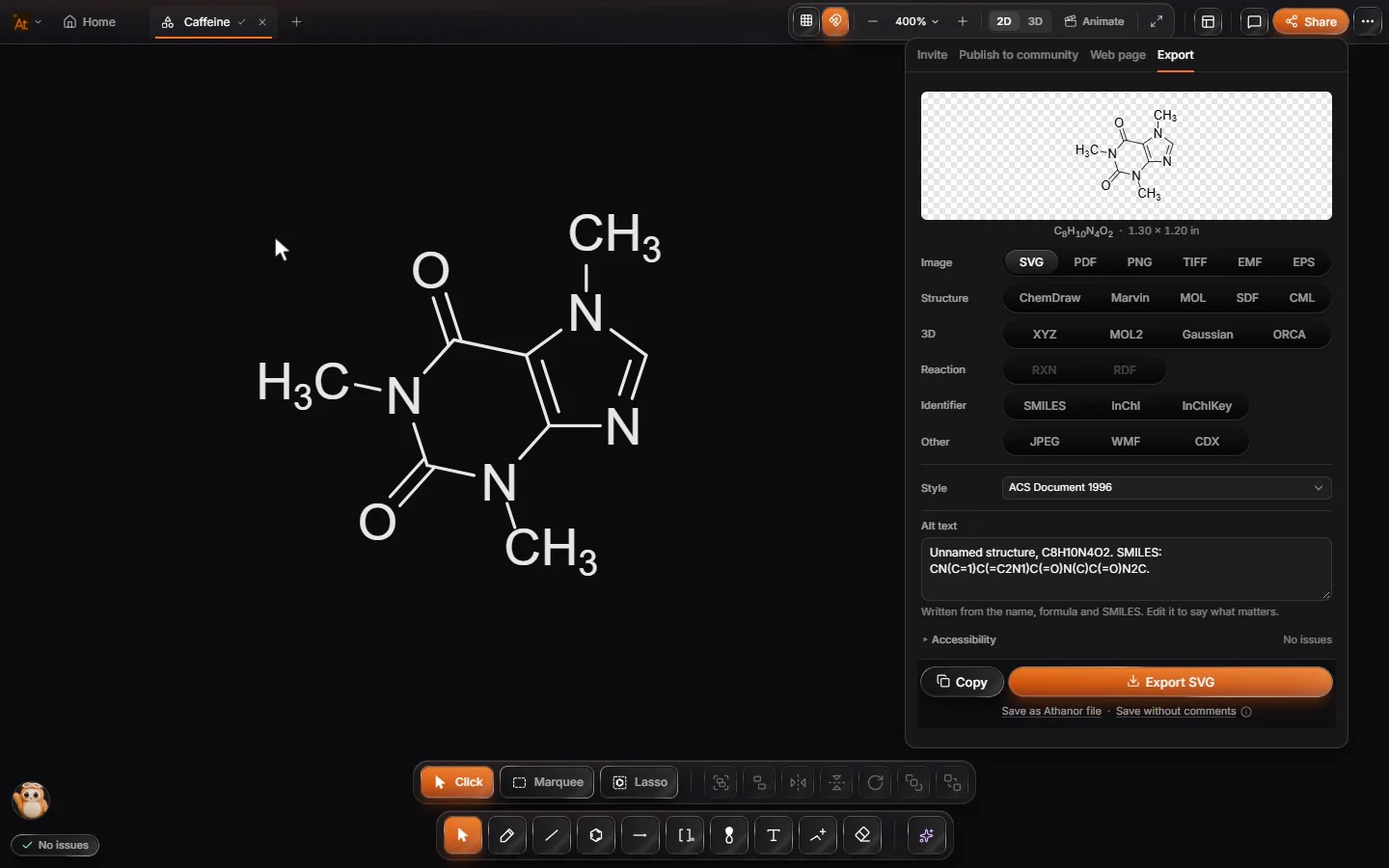
Open your ChemDraw files as they are and save back to CDX or CDXML, so a collaborator on ChemDraw never has to know.
Journal document styles
21 presets, including ACS Document 1996, RSC one and two column, Wiley and Nature Research, so figures come out the size the journal asks for.
Copy into Word and PowerPointComing soon
Paste a structure into Word or PowerPoint as a sharp vector picture, with its chemistry carried along.
Every plan has the whole editor, ChemDraw files, mechanisms, 3D, problem sets with grading, collaboration and commercial use. Product prediction and routes need only a free account and never use credits.
The paid plans are one arbastro Suite subscription for every arbastro app.
arbastro Suite Lite
For learning and teaching
$4.17/mo
billed $49.99 yearly · save $9.89
Then $4.17/mo billed yearly ($49.99), or $4.99 monthly. Cancel any time before the trial ends.
arbastro Suite Plus
Best for active research
$16.67/mo
billed $199.99 yearly · save $39.89
arbastro Suite Ultra
For schools, labs and companies
$83.33/mo
billed $999.99 yearly · save $199.89
Swipe the table to see every tool
 Athanor | ChemDraw | ChemDoodle | Marvin | Octet Draw | Discontinued Aug 2026ChemSketch | |
|---|---|---|---|---|---|---|
| Price & access | ||||||
| Price | Free | Prime $700/yrProfessional $1,355/yr | $199/yror $999 lifetime | $29/mo academic$99/mo commercial | Free | No longer sold |
| Free for commercial work | – | – | – | – | ||
| Full editor in the browser | Enterprise plan | Developer toolkit | – | – | ||
| Prediction | ||||||
| Products predicted as you draw | – | From arrow pushing | – | – | – | |
| Retrosynthesis route planning | – | Manual disconnections | – | – | – | |
| Property prediction | Basic | |||||
| AI assistant that draws and animates | – | – | – | – | – | |
| Teaching | ||||||
| Problem sets with automatic grading | 21 question types | – | – | – | – | – |
| Mechanism checking | – | – | – | – | – | |
| Moodle XML and QTI export | – | – | – | – | – | |
| Drawing & visualization | ||||||
| 2D structure drawing | ||||||
| 3D models | – | |||||
| Orbitals and MO diagrams | Orbital palette | – | – | – | ||
| Animated mechanisms | – | – | – | – | – | |
| Biopolymers (HELM, peptides, DNA) | – | – | – | – | ||
| Data & workflow | ||||||
| Compound library with cited safety data | PubChem add‑in | – | – | – | – | |
| Live collaboration | In testing | Enterprise plan | – | – | – | – |
| Opens ChemDraw files | ||||||
| Name to structure for any IUPAC name | Online | Offline | – | |||
| Platforms | ||||||
| Desktop app | Windows | Windows, Mac | Windows, Mac, Linux | Windows, Mac, Linux | Windows | |
| Mac and Linux | In the browser | Mac | – | |||
| Works offline | Desktop app | Desktop | ||||
| Open source | – | – | – | – | Apache‑2.0 | – |
| Where others do more | ||||||
| ¹H and ¹³C NMR prediction | Predicted, AI | – | ||||
| Fully offline, no account | – | – | ||||
| Office and ELN integration | – | LabArchives | Office, on Mac | – |
Prices as of October 2026, from each vendor’s own page. Check with the vendor before you buy.
Claude, ChatGPT, Cursor and other assistants can use Athanor’s own chemistry engine through MCP: convert, name, draw and check structures, and run the safety screen. Free, with no account, and nothing stored.
The server
https://mcp-athanor.arbastro.com/mcpconvert SMILES, MOL and XYZname IUPAC and common namesproperties formula, masses, descriptorsdepict journal-style drawingscheck valence, charge, stereoscreen the safety screenlibrary_search Athanor’s libraryIn Claude Code, one line
claude mcp add --transport http athanor https://mcp-athanor.arbastro.com/mcp
A real call: name on ibuprofen’s SMILES
Asking the server…
Local first, synced to your account
An open file format

Questions about a team: [email protected].
Windows app
Windows 10 and 11. Works offline after you sign in.
Updates itself from the Store. The installer is under the arrow.
In your browser
Chrome, Edge, Firefox or Safari.
Open in browserNothing to install.