
AI assistant (arbastro Intelligence)
Ask in plain words and the assistant draws, converts, animates and checks on the canvas. What it can do, what is sent, credits and your own key.
Start here- 1 · How-toThe AI assistantThe AI assistant in Athanor works in the editor. Ask in plain words and it draws, edits and explains, showing its plan. What it can do and sends.
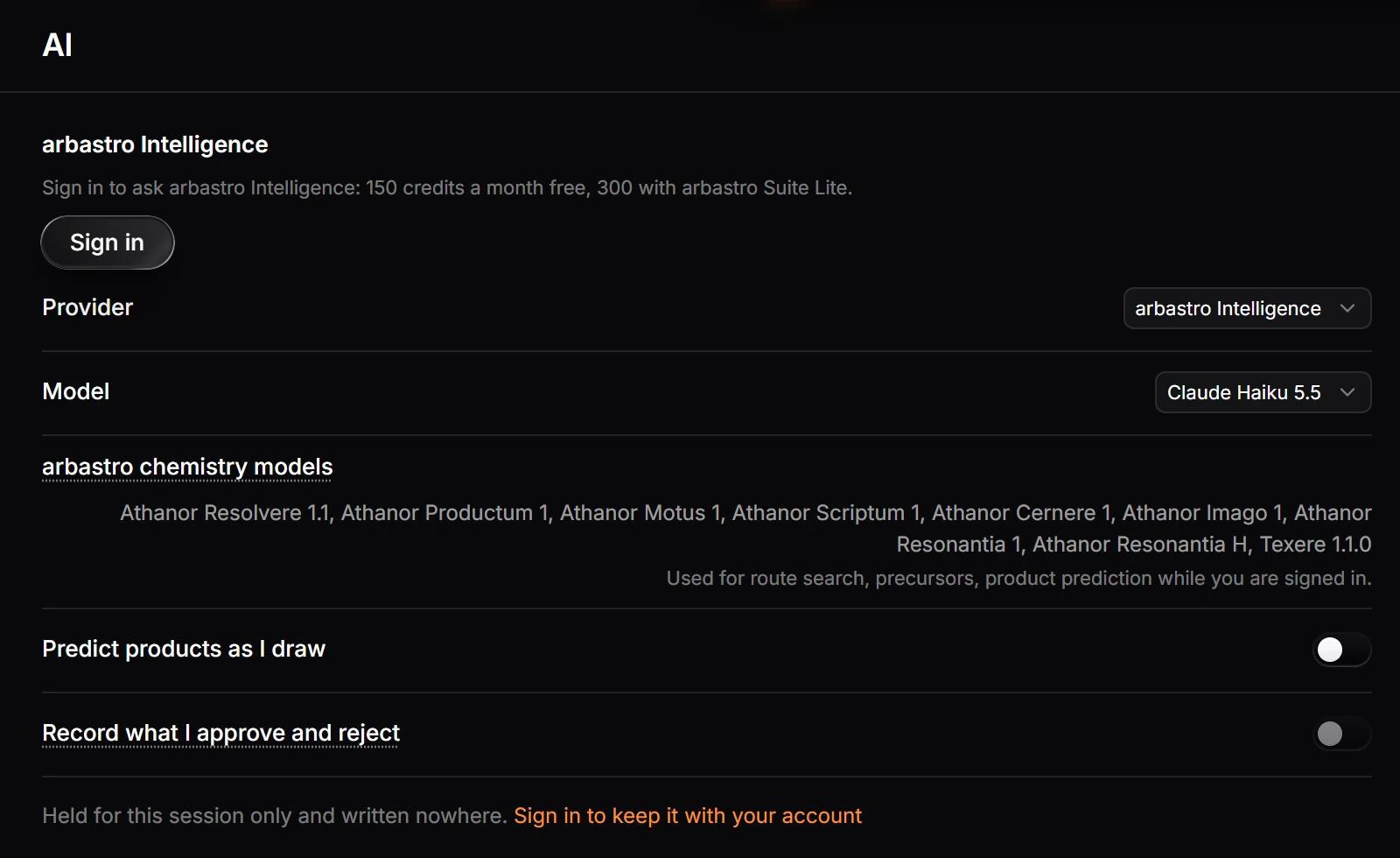
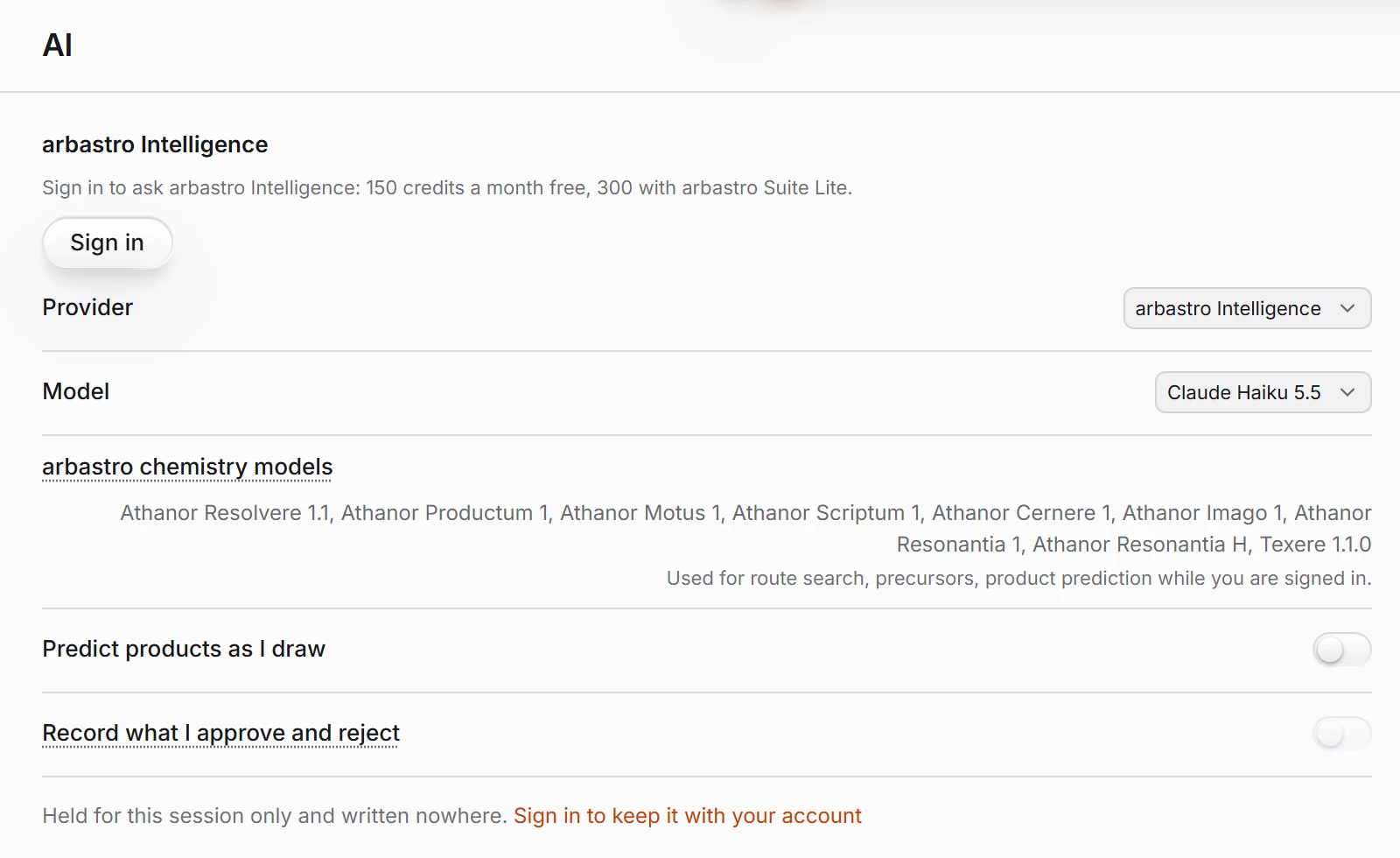 2 · How-toHow to choose the AI model or use your own API keyChoose Help › Prediction feedback › AI settings… (or Settings › AI). Pick arbastro Intelligence and a model your plan allows, or, on an arbastro Suite plan, a provider with your own key.
- 3 · ReferenceAI creditsEach month: Free 150, Suite Lite 300, Suite Plus 1,000 and Suite Ultra 2,500 credits. A larger model spends credits faster. Your own key, product prediction and routes do not use credits.
- 4 · ConceptWhat the AI assistant sends, and whereYour question, the earlier messages, a description of the page and any image you attach go to the provider shown under the assistant box. Signed out, Athanor sends nothing to any AI provider.
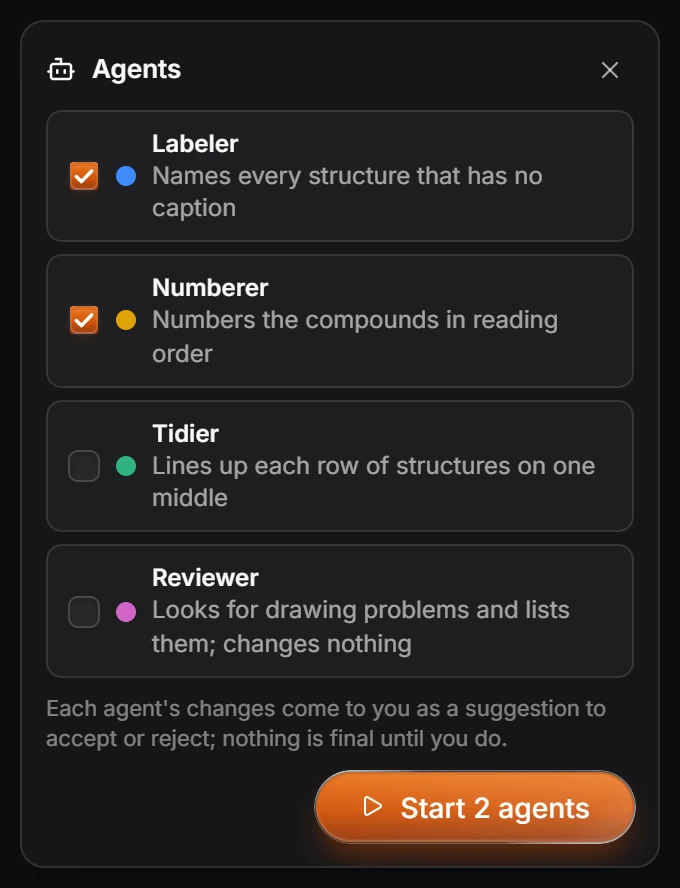
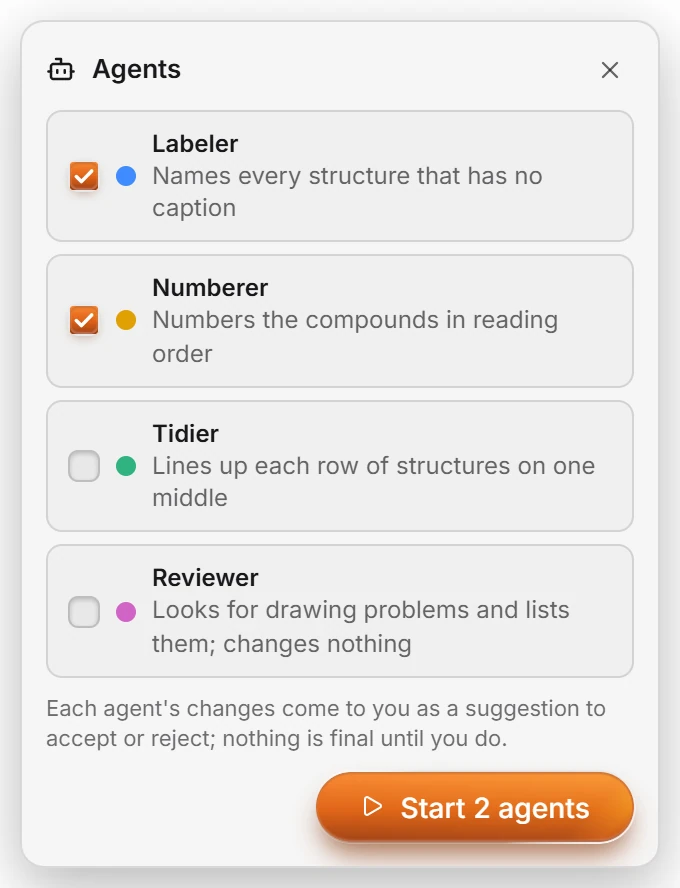 5 · How-toHow to use agentsChoose Edit › Agents, tick the agents you want (Labeler, Numberer, Tidier, Reviewer) and press Start. Their changes arrive as suggestions; nothing is final until you accept it.
 6 · How-toHow to save and manage assistant skillsSave a request as a skill with the bookmark beside it in the assistant. Manage your skills from Help › Prediction feedback › Manage assistant skills.
- Still stuck? Read the FAQ or contact support.
- Something wrong on this page? Tell us.
- For AI tools: llms.txt