
The Athanor window
The drawing tools are in the toolbar at the bottom, panels sit at the left and right, documents open in tabs, and the Athanor mark at the left of the tab bar opens the Main menu (File, Edit, View, Insert, Object, Help).
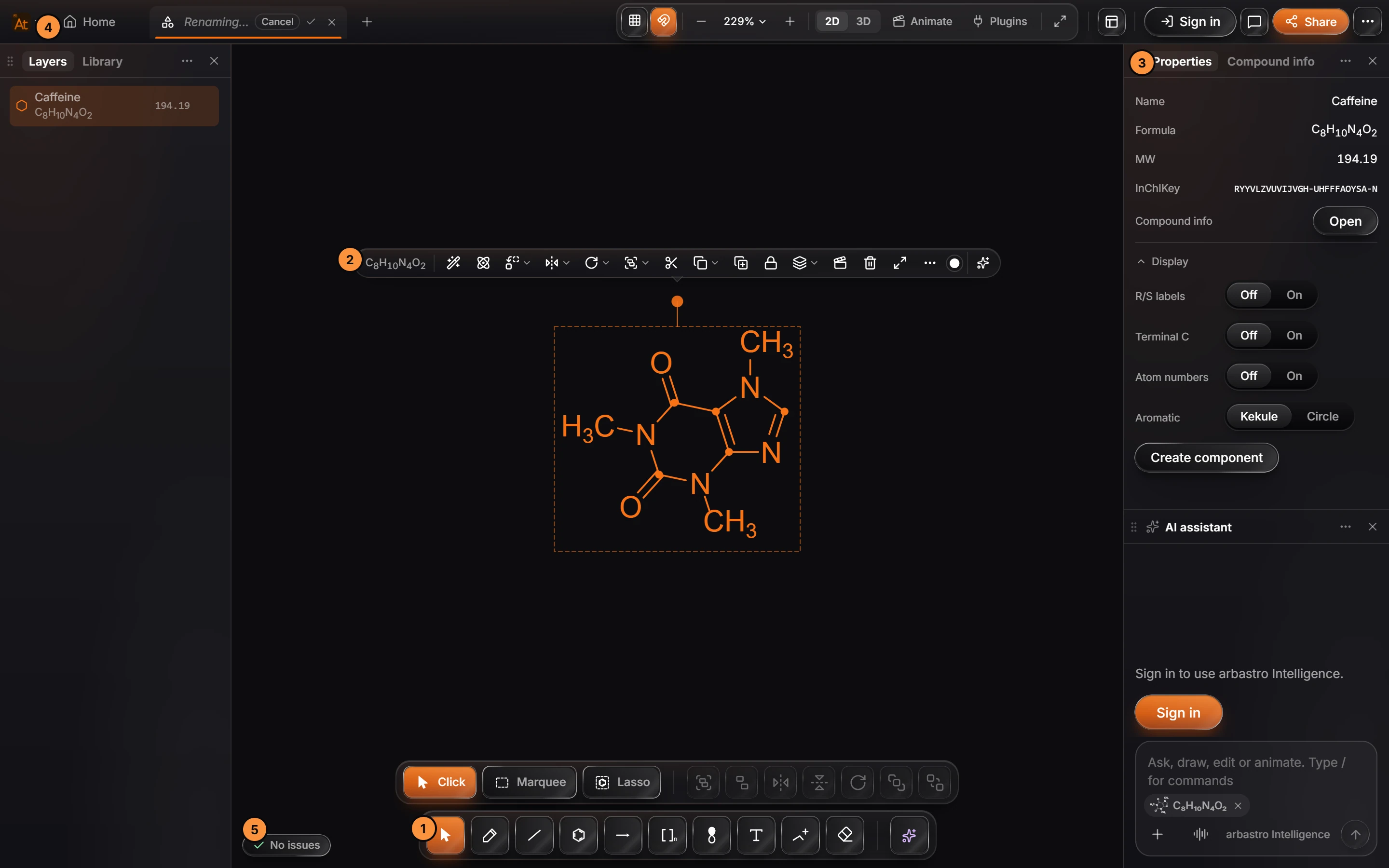
1. The toolbar
The drawing tools sit in a bar at the bottom of the canvas. Each has a one-letter key, so you can switch without moving the pointer:
| Key | Tool | Key | Tool |
|---|---|---|---|
| V | Select | S | Brackets and shapes |
| P | Annotate (pen and shapes) | O | Orbitals |
| D | Bond | T | Text |
| R | Ring | Q | Charges |
| W | Arrow | E | Erase |
When a tool is on, the row above the toolbar shows its variants: the bond styles for Bond, the ring templates for Ring, the arrow kinds for Arrow. Each variant has its own key too.

2. The contextual bar
Select something and a bar of actions for it appears just above the selection: align, flip, rotate, group, lock, copy, delete and more. What it offers depends on what you selected, so a reaction arrow gets reaction actions and a structure gets structure actions.
3. Panels
Panels sit in the columns at the left and right. The ones you see first are Layers and Library on the left, Properties and Compound info on the right, and the AI assistant below them. Others, such as Version history, References, the 3D preview and Export, open from the menus or their shortcuts. Drag a panel's tab to move it.
4. The tab bar and the Main menu
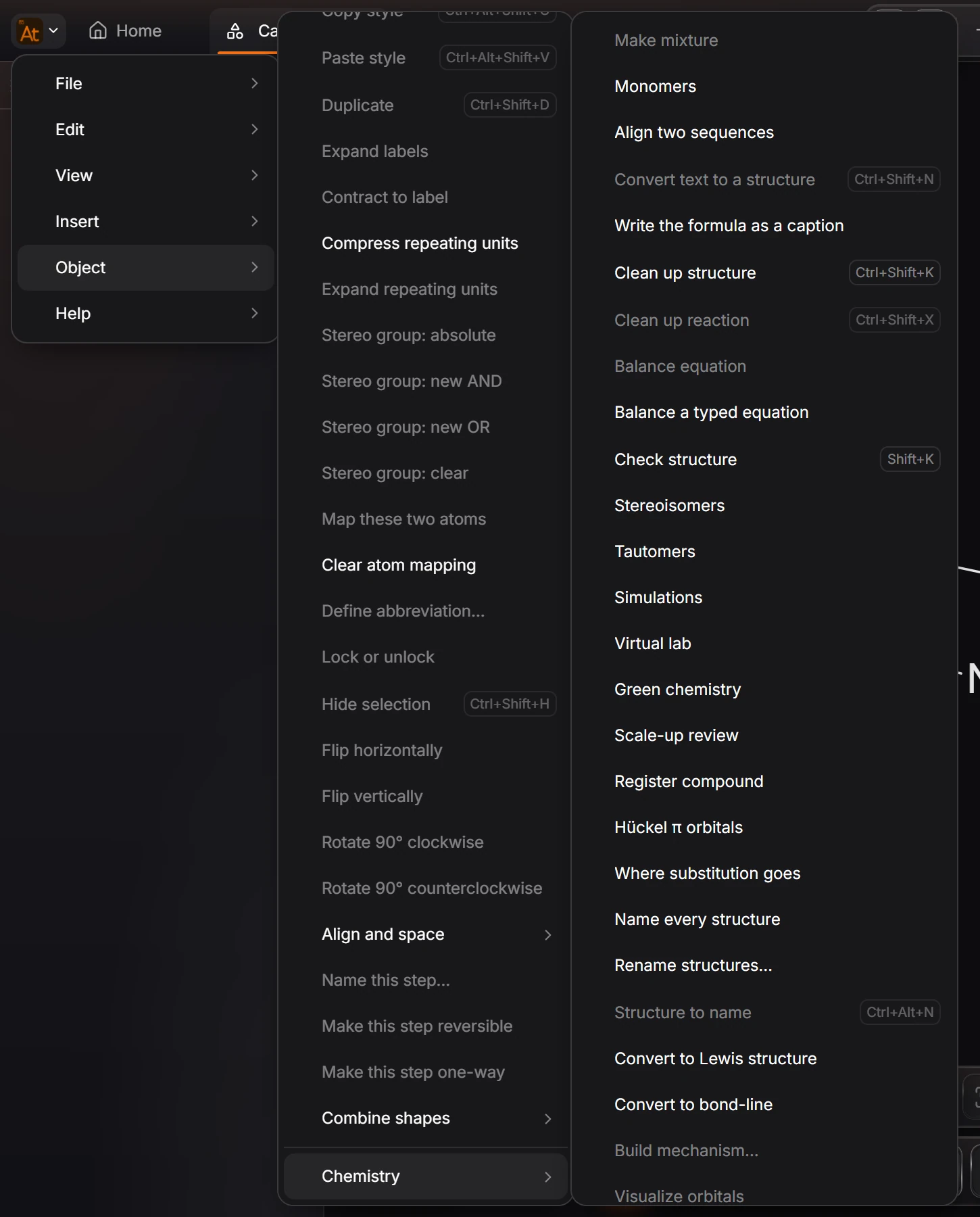
Every document opens in a tab, with Home always first. The Athanor mark at the far left is the Main menu: File, Edit, View, Insert, Object and Help. Each menu lists its commands with their shortcuts.
5. The issues badge
The badge at the bottom left of the canvas says No issues when every structure is valid. When something needs a look, such as a carbon with five bonds, it shows a count instead. Click it to see the list. Athanor flags problems; it never silently changes your chemistry.
Find anything
Press Ctrl+K for Search everything: it finds every command, tool and compound, and shows each one's shortcut. Hold Alt and point at any button to see what it does. Press Tab to hide everything but the drawing, and again to bring it back.
Is this helpful?
Last updated Nov 12, 2026
- Still stuck? Read the FAQ or contact support.
- Something wrong on this page? Tell us.
- For AI tools: llms.txt