
Where your work is saved
There is no save button. Every change is kept as you make it. Signed in, documents also sync to your arbastro account and appear on every device in Home. To send a file to someone, use Export or File › Download as .athanor.
Every change is kept
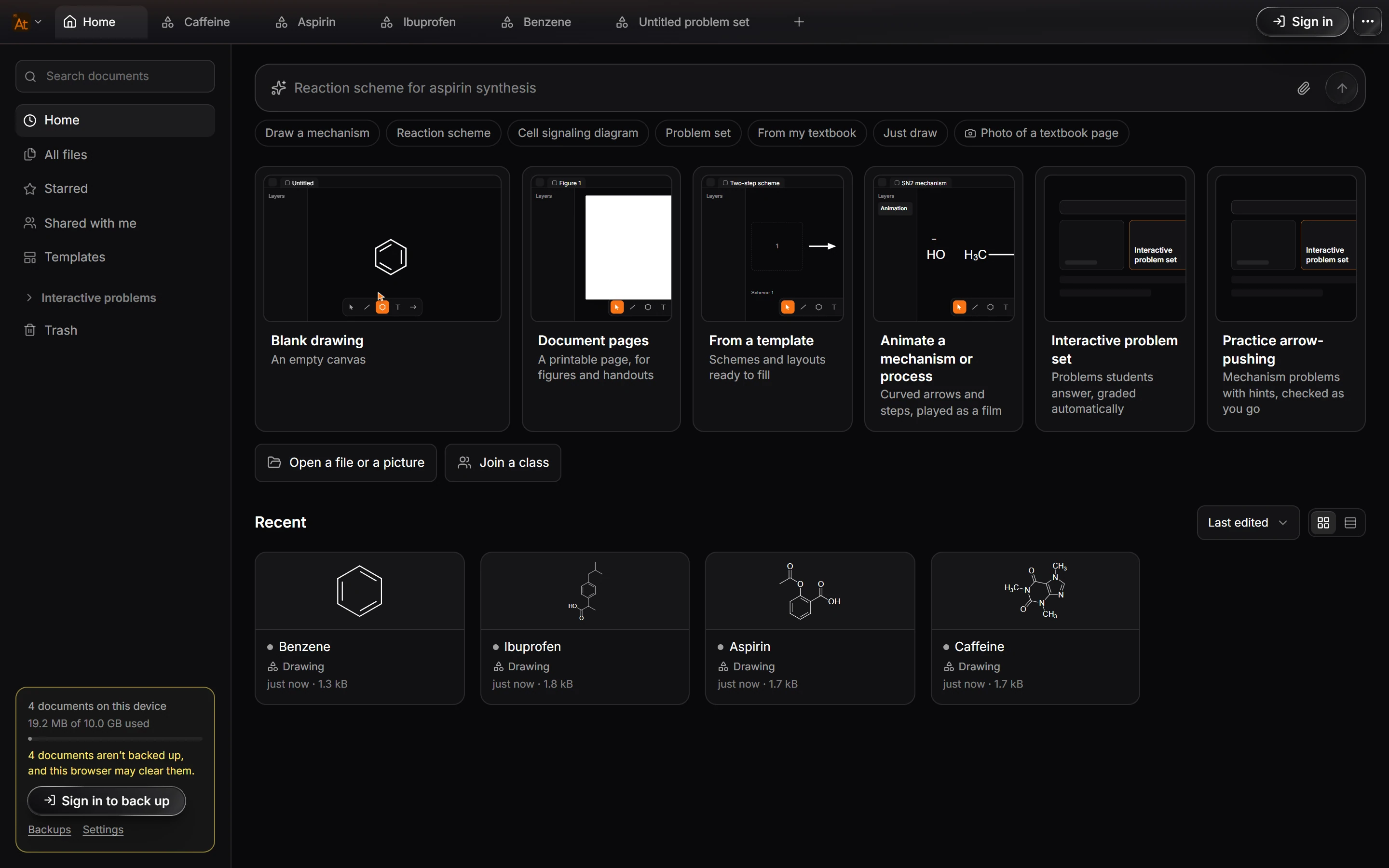
Athanor saves as you work. There is no Save command and nothing to lose by closing a tab: the document stays in Home, under Recent, with the time you last edited it.
Signed out: this device only
Without an account, documents are kept in this browser, or in the desktop app on this computer. The box at the bottom left of Home says how many documents are on this device and how much space they use.
Warning
A browser can clear its stored data when the disk runs low, and clearing your browsing data deletes it too. Signed out, Home warns you when documents are not backed up. Sign in, or turn on Automatic backup, to keep a copy elsewhere.
Signed in: your account and every device
Sign in with your arbastro account and your documents are kept in your account as well. They appear in Home on every device you sign in on, in the browser and in the desktop app.
Backups
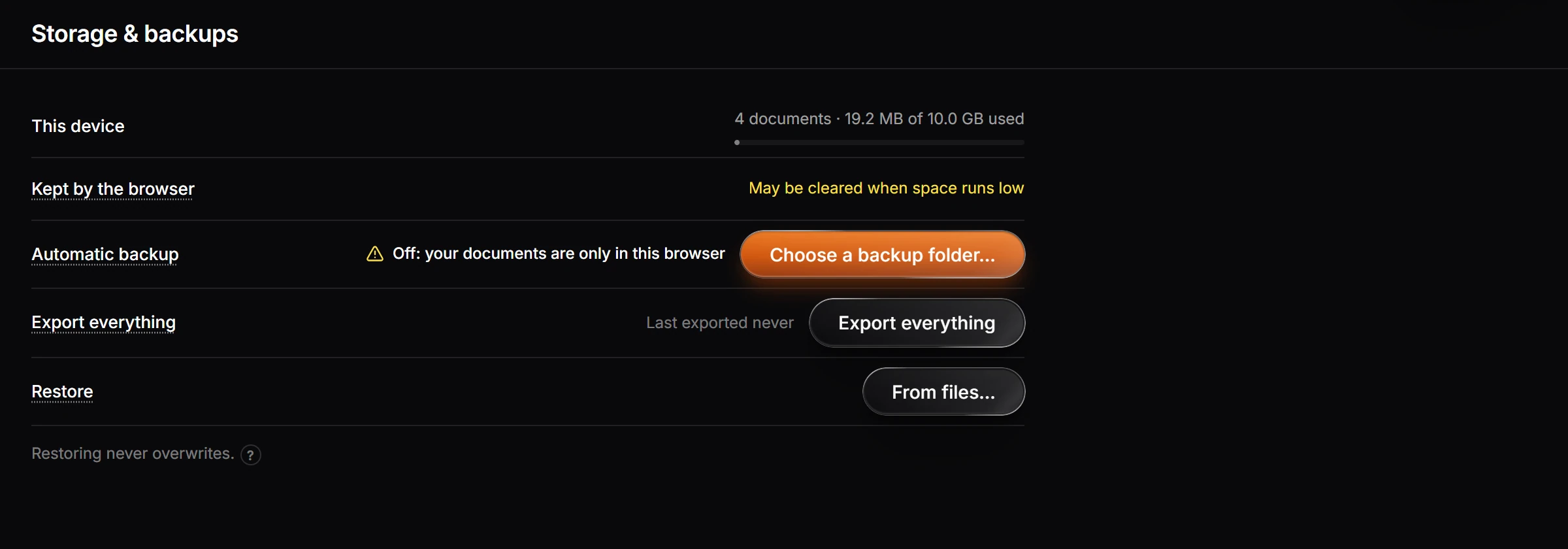
Choose Backups at the bottom left of Home (or File › Backups…) to open Storage & backups in Settings:
- Automatic backup: Choose a backup folder… and Athanor writes a copy of your documents there.
- Export everything: every document, downloaded at once.
- Restore: From files… brings documents back from a backup. Restoring never overwrites a document you already have.
Sending a file
To give someone a copy, open Export (Ctrl+Shift+E) and pick a format such as PNG, PDF, MOL or ChemDraw CDXML. File › Download as .athanor saves the whole document, which opens in Athanor again with everything intact. See Export a figure or structure file.
Earlier versions
Every edit is kept in Version history (Shift+H), so you can step back to how the document looked before. See Version history.
Is this helpful?
Last updated Nov 12, 2026
- Still stuck? Read the FAQ or contact support.
- Something wrong on this page? Tell us.
- For AI tools: llms.txt