
The Solvent selector plugin
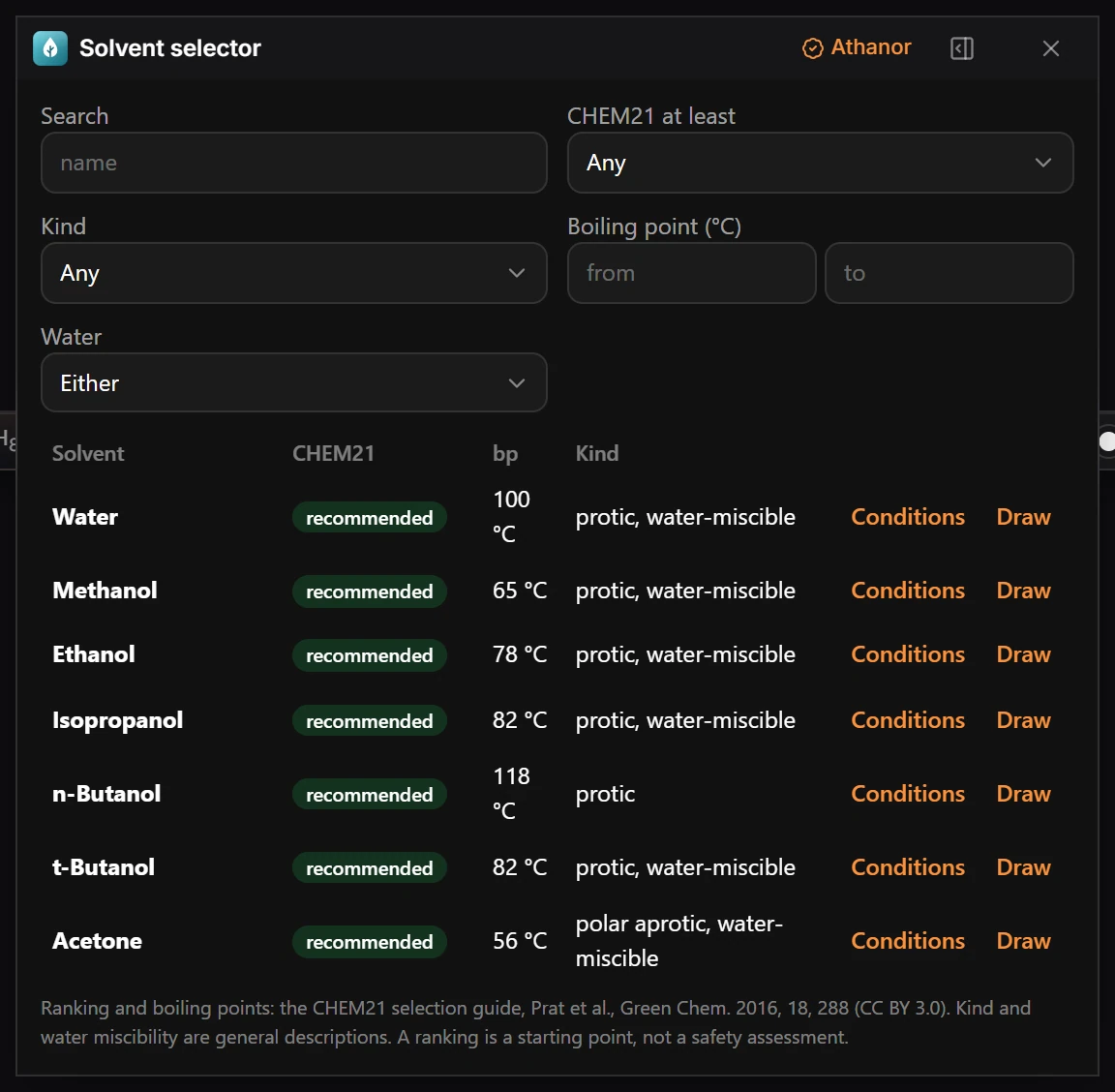
Choose Plugins › Solvent selector: Open Solvent selector and filter the list by name, ranking, kind and boiling point.
Steps
- Choose Plugins › Solvent selector: Open Solvent selector.
- Filter the list: Search by name, CHEM21 at least for the lowest ranking you accept, Kind, Boiling point (°C) from and to, and Water for miscibility.
- Each row shows the Solvent, its CHEM21 ranking (such as recommended), its bp and its Kind, such as protic, water-miscible.
- Press Draw to put the solvent's structure on the page, or Conditions to use it in your reaction conditions.
The rankings and boiling points come from the CHEM21 selection guide (Prat et al., Green Chem. 2016, 18, 288, CC BY 3.0). A ranking is a starting point, not a safety assessment.
Is this helpful?
Last updated Nov 12, 2026
- Still stuck? Read the FAQ or contact support.
- Something wrong on this page? Tell us.
- For AI tools: llms.txt