
Plugin permissions
A plugin can only do what it asks for, such as read the open document or edit it. Choose Plugins › Manage plugins…, then ⋯ › Permissions on its row, and switch off what you do not want.
Change what a plugin may do
Choose Plugins › Manage plugins…. The window opens on Installed.
On the plugin's row, press ⋯ and choose Permissions.
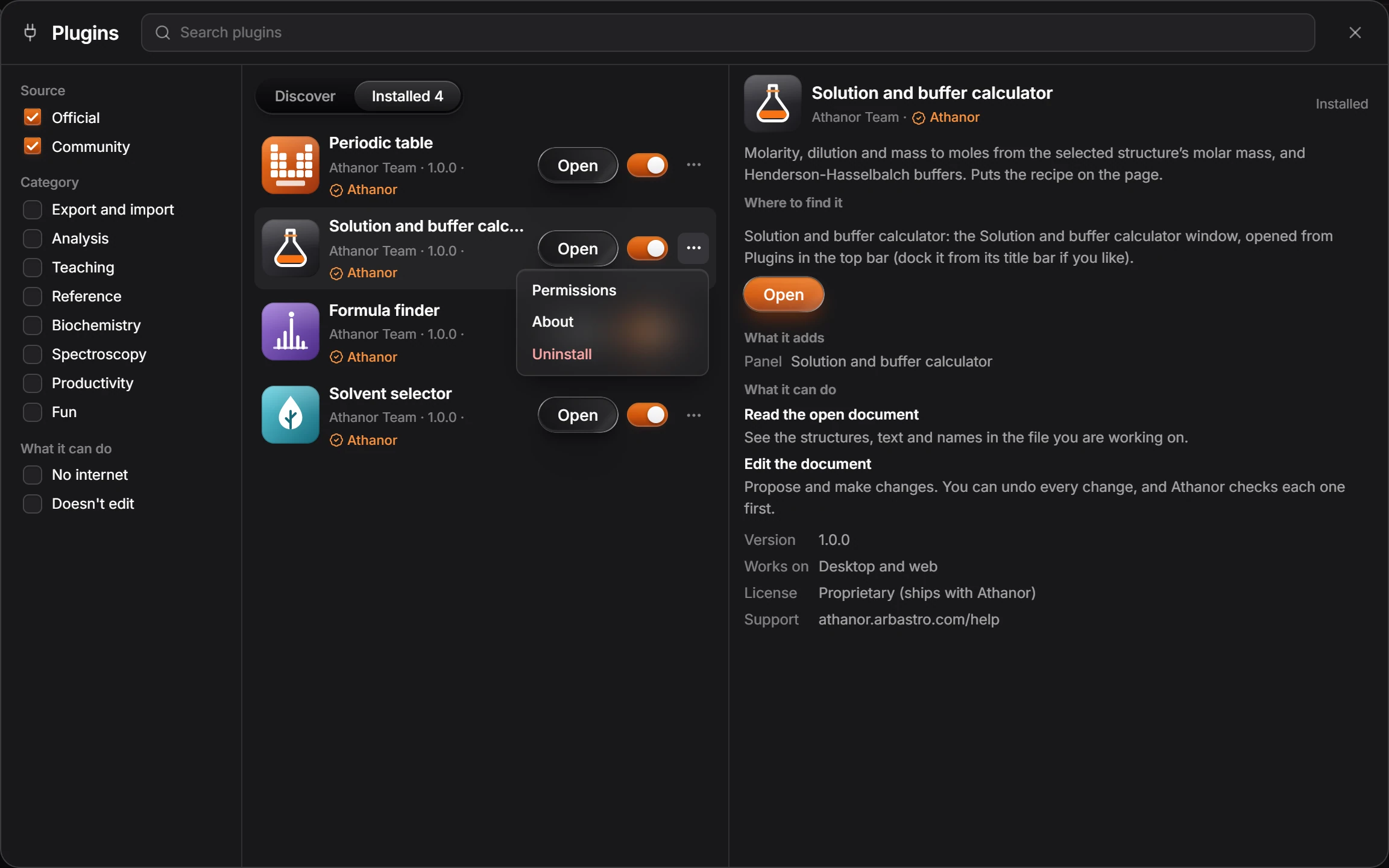
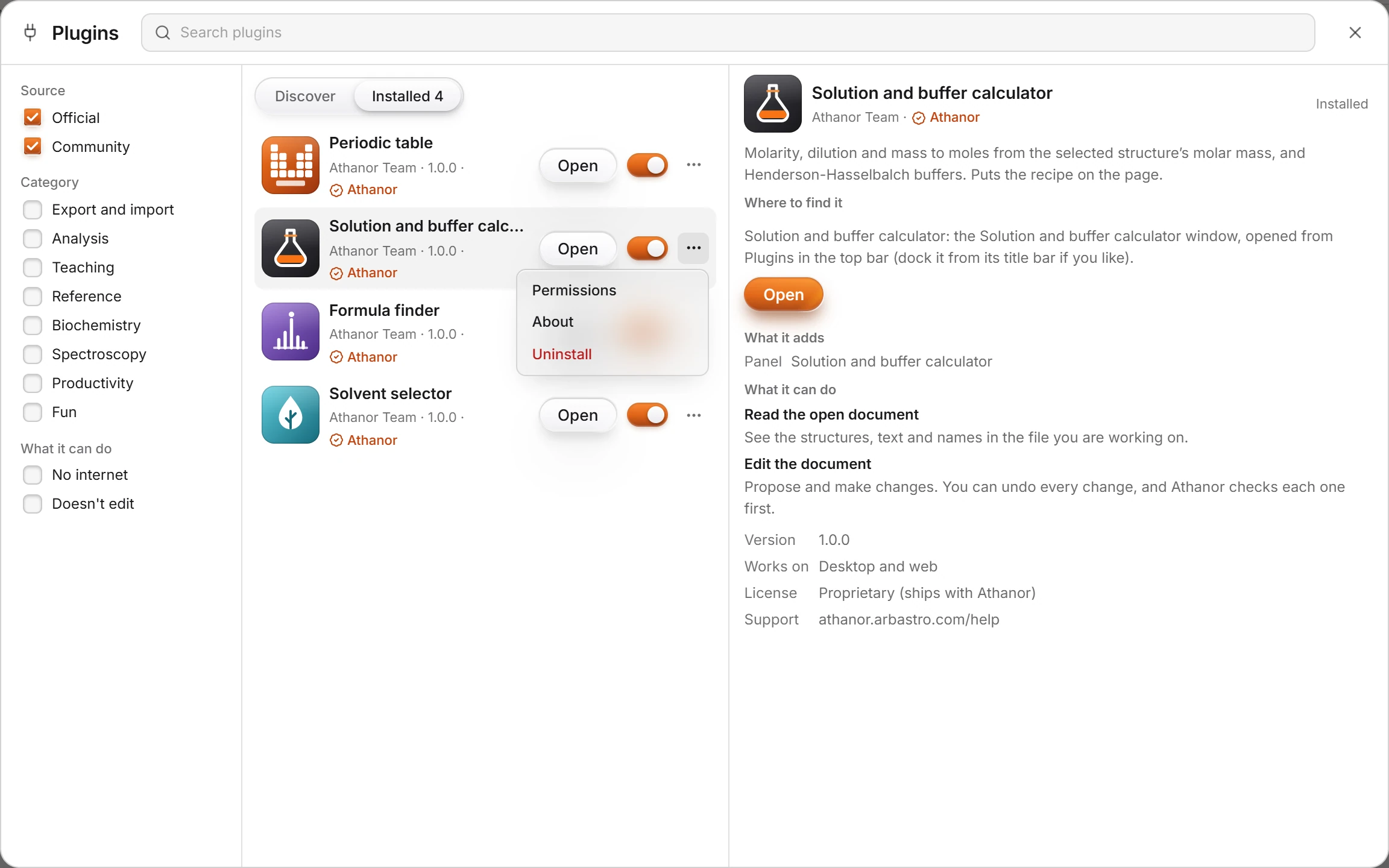
Each permission has its own switch. Switch off what you do not want.
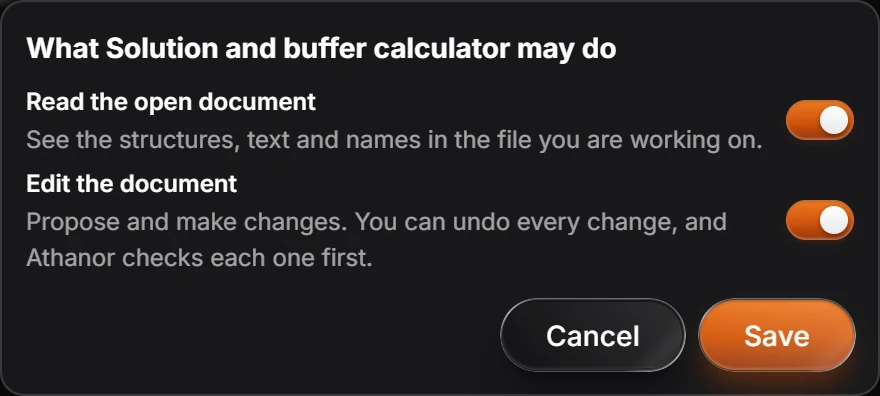
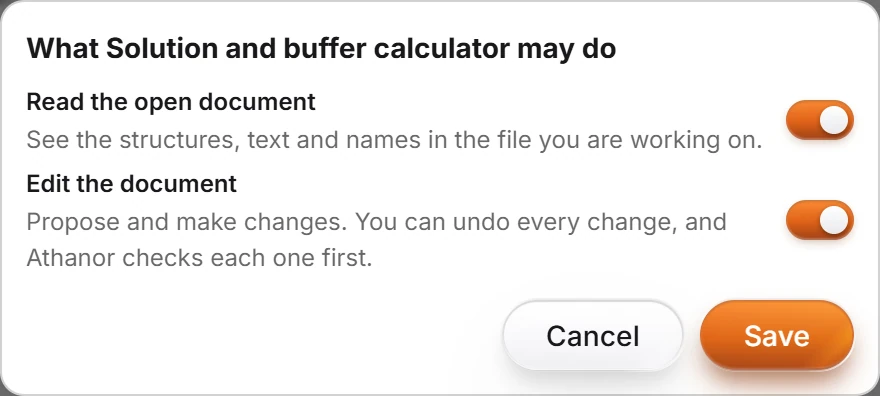
A plugin runs in a sandbox and can only reach what its permissions allow. Every change it makes to a document is one undo step, so Ctrl+Z takes it back. How the sandbox works is in the security model.
Is this helpful?
Last updated Nov 12, 2026
- Still stuck? Read the FAQ or contact support.
- Something wrong on this page? Tell us.
- For AI tools: llms.txt