
How to draw bonds and chains
Press D for the Bond tool. Click empty canvas for a bond, then click an atom to grow a new bond from it. Press G for chain and drag to pull out a zigzag chain; the carbon count follows the pointer, and Shift locks the direction.
Draw bonds one at a time
Press D for the Bond tool. The row above the toolbar shows the bond styles, with single picked.


Click an empty spot on the canvas. A single bond appears, with a carbon at each end.
Click an atom to grow a new bond from it. Athanor picks a zigzag angle for you, so a few clicks along the end atom make a tidy chain.
Point at any atom and press a letter to change its element, such as O for oxygen or N for nitrogen. See How to change an atom to another element.
Draw a whole chain
With the Bond tool on, press G (or choose chain in the row above the toolbar).
Drag on the canvas. A zigzag chain follows the pointer, and a count beside it shows how many carbons it has so far.
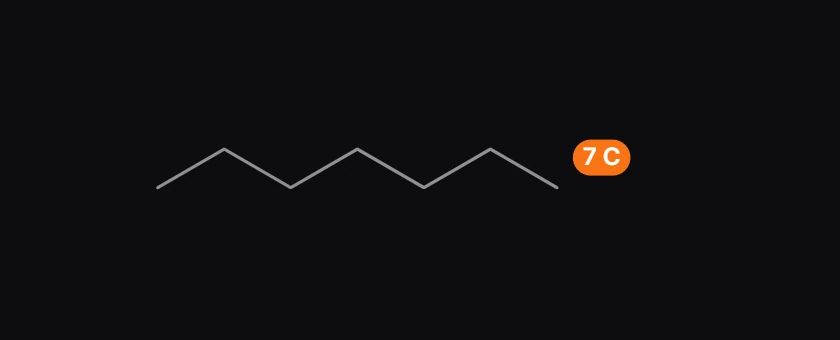
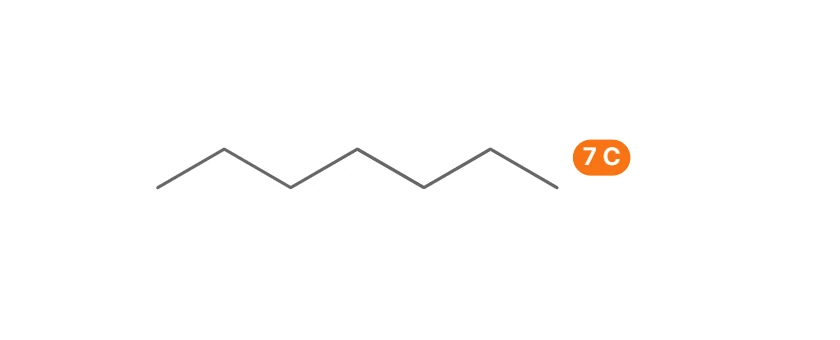
Hold Shift while you drag to lock the chain's direction.
Let go to place it. One Ctrl+Z removes the whole chain.
Tip
Know the length already? Click once with chain instead of dragging, type a number in Chain length (carbons) (1 to 200) and press Enter.
Fix mistakes
Ctrl+Z undoes the last step and Ctrl+Shift+Z redoes it. The Erase tool (E) removes what you click. A structure that breaks a chemistry rule, such as a carbon with five bonds, is flagged in the issues badge at the bottom left of the canvas, never silently changed.
Is this helpful?
Last updated Nov 12, 2026
- Still stuck? Read the FAQ or contact support.
- Something wrong on this page? Tell us.
- For AI tools: llms.txt