
What works differently from ChemDraw
Athanor saves as you work, flags valence and stereo problems instead of silently changing your structure, shows actions for the selection in a bar beside it, and finds commands by ChemDraw's names in Search everything.
No save button
Every change is kept as you make it. Documents live in Home, and in your arbastro account when you are signed in. To make a file, use Export. See Where your work is saved.
Problems are flagged, never fixed behind your back
Athanor checks every structure as you draw. A carbon with five bonds stays the way you drew it, and the issues badge at the bottom left of the canvas counts it. Click the badge to see the list, with each problem named.
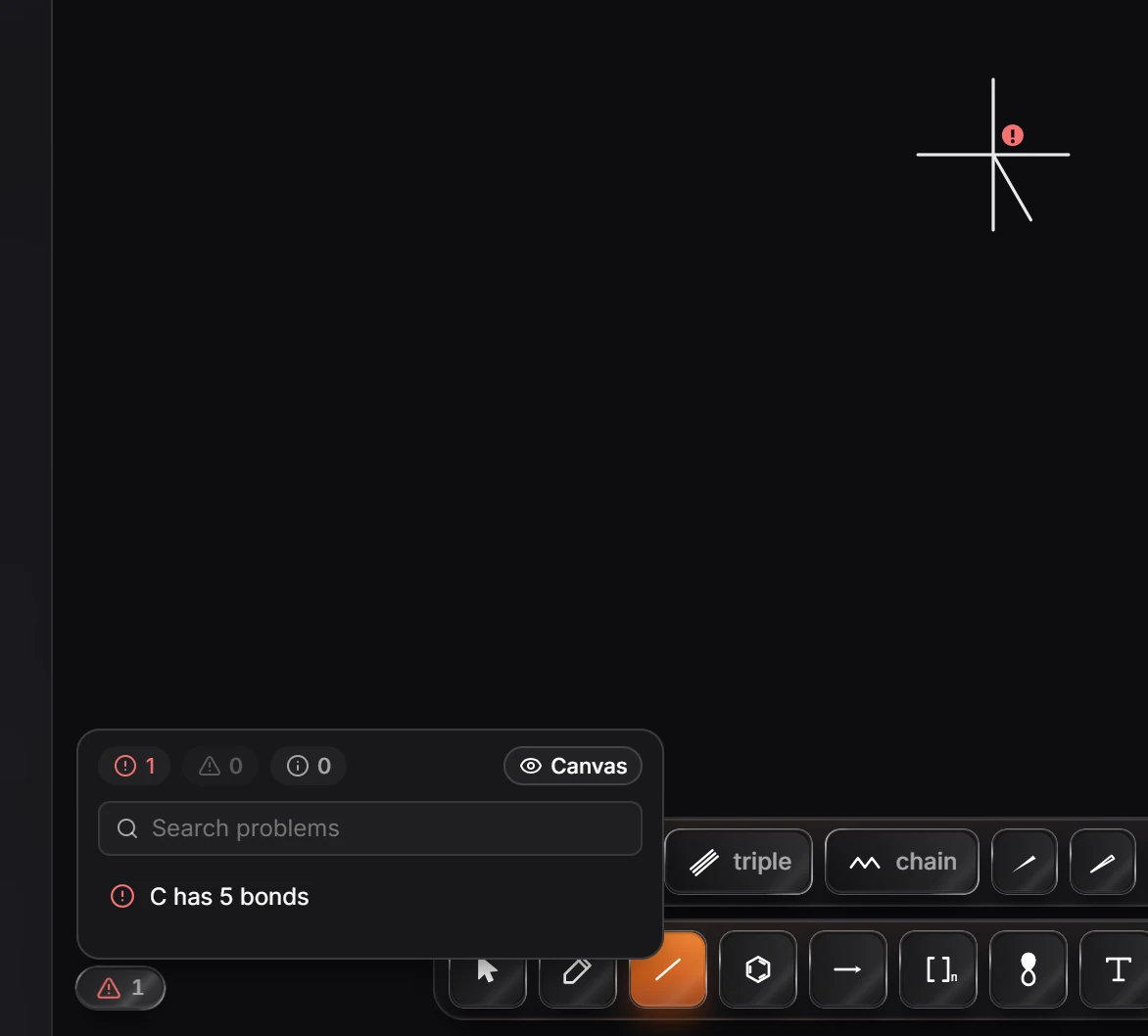
Missing stereo shows up the same way, as a warning, for example "C's configuration is not drawn" when a stereocenter has no wedge.
Actions sit beside the selection
Select something and a bar of actions appears just above it: align, flip, rotate, group, lock, copy and more, chosen for what you selected. Everything in it is also in the Main menu. See The Athanor window.
Tabs and Home
Each document opens in a tab, and Home lists all of them. See How to work with tabs.
Dimmed commands say why
A command that cannot run right now is still listed in the menus and in Search everything, dimmed, with the reason, for example "Select a ring first".
Built for working together
Signed in, you can share a document, comment on it and edit it with other people at the same time.
Is this helpful?
Last updated Nov 12, 2026
- Still stuck? Read the FAQ or contact support.
- Something wrong on this page? Tell us.
- For AI tools: llms.txt