
ChemDraw commands and their Athanor names
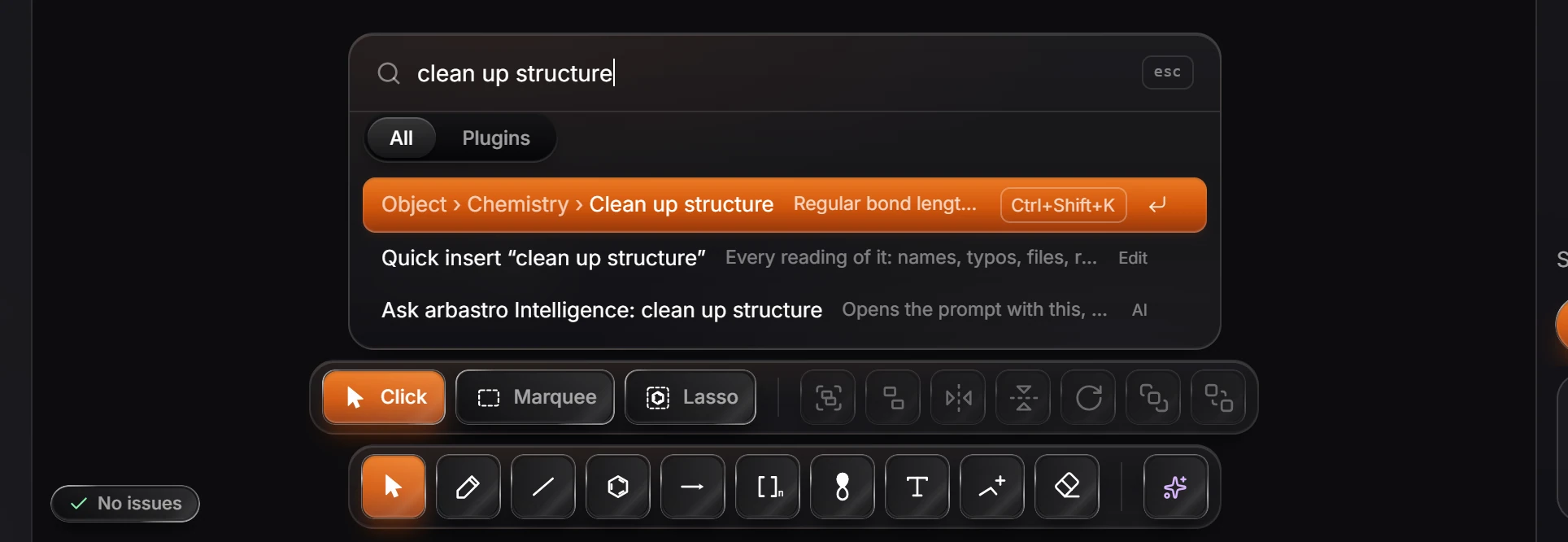
Most ChemDraw commands have an Athanor command with the same or a similar name. Type ChemDraw's name into Search everything (Ctrl+K) and the Athanor command comes up, with its menu path and shortcut.
The map
| In ChemDraw | In Athanor | Where | Shortcut |
|---|---|---|---|
| Clean Up Structure | Clean up structure | Object › Chemistry | Ctrl+Shift+K |
| Check Structure | Check structure | Object › Chemistry | Shift+K |
| Convert Name to Structure | Convert text to a structure, or Quick insert | Object › Chemistry, Insert | Ctrl+Shift+N, / |
| Convert Structure to Name | Structure to name | Object › Chemistry | Ctrl+Alt+N |
| Show Stereochemistry | Show stereochemistry | View | |
| Expand Label, Contract Label | Expand labels, Contract to label | Object | |
| Analysis window | Calculate properties, and the Compound info panel | Object › Chemistry, the panel tabs | I for Compound info |
| Predict 1H-NMR, Predict 13C-NMR | Predict 1H NMR, Predict 13C NMR | Object › Chemistry | |
| Templates | The Ring tool's templates, and the Library's Templates tab | Toolbar, Library panel | R, Shift+B for the Library |
| Document Settings, Apply Document Settings from | Document type in the Properties panel, Document settings… | Properties, File | |
| Save As style sheet | Save document type as ChemDraw style sheet | File | |
| Copy As | Copy as (SMILES, InChI, InChIKey, chemfig, mhchem formula, molfile, CDXML) | Edit | Ctrl+Alt+C for SMILES |
| Show Map, reaction interpretation | Show reaction interpretation | View | |
| Hotkeys | Controls cheat sheet, Search keyboard shortcuts | Help | ? |
When a name does not match
Type a few words of what the command does instead, such as tidy, valence or iupac: commands carry those words too. If nothing comes up, the command may not be in Athanor yet. Report a problem to ask for it.
Is this helpful?
Last updated Nov 12, 2026
- Still stuck? Read the FAQ or contact support.
- Something wrong on this page? Tell us.
- For AI tools: llms.txt