
How to add rings
Press R, then J for benzene or 3 to 8 for that ring size, and click empty canvas. Click a bond of another ring to fuse onto it, or an atom to make a spiro ring. Insert › Ring size takes any size from 3 to 30.
Steps
Press R for the Ring tool. The row above the toolbar shows the ring templates, with benzene first.


Pick a ring: J for benzene, or 3 to 8 for cyclopropane to cyclooctane.
Click an empty spot on the canvas to place the ring.
To fuse a ring, click a bond of a ring already on the canvas. The new ring shares that bond. Clicking a benzene bond with benzene makes naphthalene.
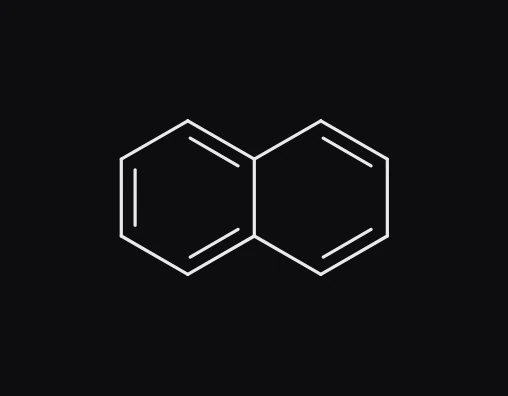
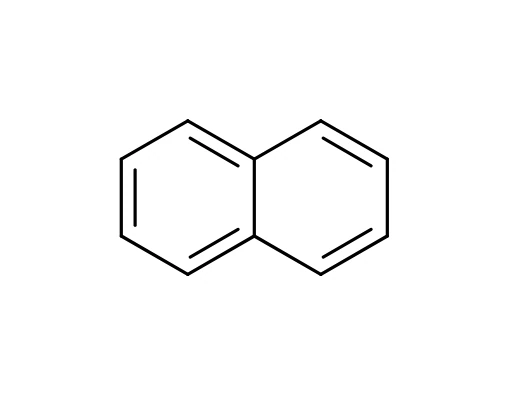
To make a spiro ring, which shares a single atom, click an atom instead of a bond.
Any ring size
- Choose Insert › Ring size in the Main menu.
- Type the number of atoms in Ring atoms, from 3 to 30, for example
12for a macrocycle. Tick Alternating double bonds for a ring with alternating single and double bonds. - Click on the canvas to place it.

With the keyboard
Point at a bond and press 4 to 8 to fuse a ring of that size onto it, or A for benzene. This works with any tool.
Is this helpful?
Last updated Nov 12, 2026
- Still stuck? Read the FAQ or contact support.
- Something wrong on this page? Tell us.
- For AI tools: llms.txt