
How to trace a picture to lines
Select the picture and choose Edit › Trace picture to lines. Set the threshold, detail and speck size, watch the preview, and press Trace.
Steps
Select the picture. See How to add a picture.
Choose Main menu › Edit › Trace picture to lines.
Adjust the trace while the preview updates:
- Threshold and Detail set what counts as ink and how closely the outline follows it;
- Drop specks ignores dots smaller than the size you set;
- Round off the corners;
- Trace the light parts for chalk on a blackboard;
- Keep the picture underneath keeps the original below the trace.
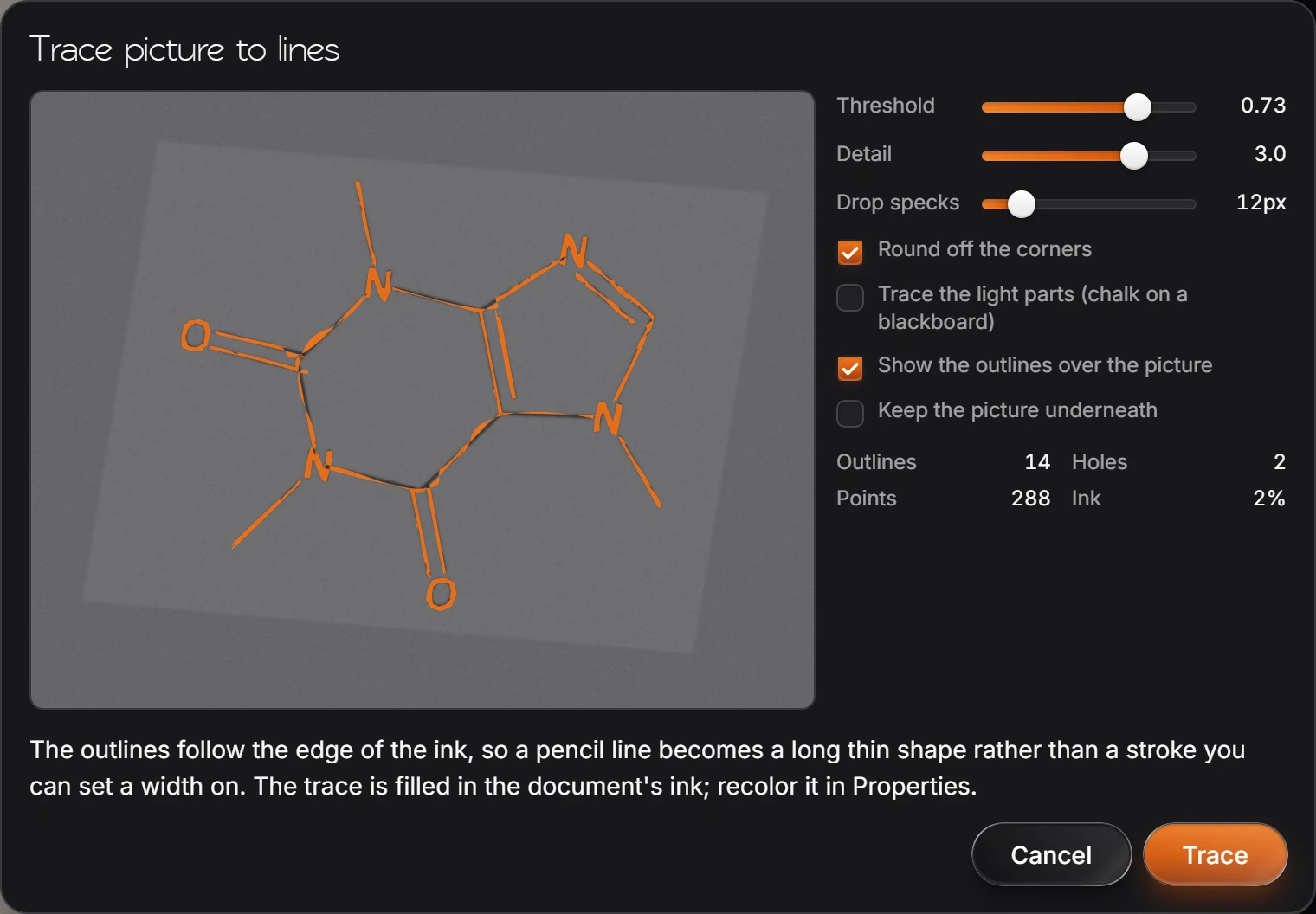
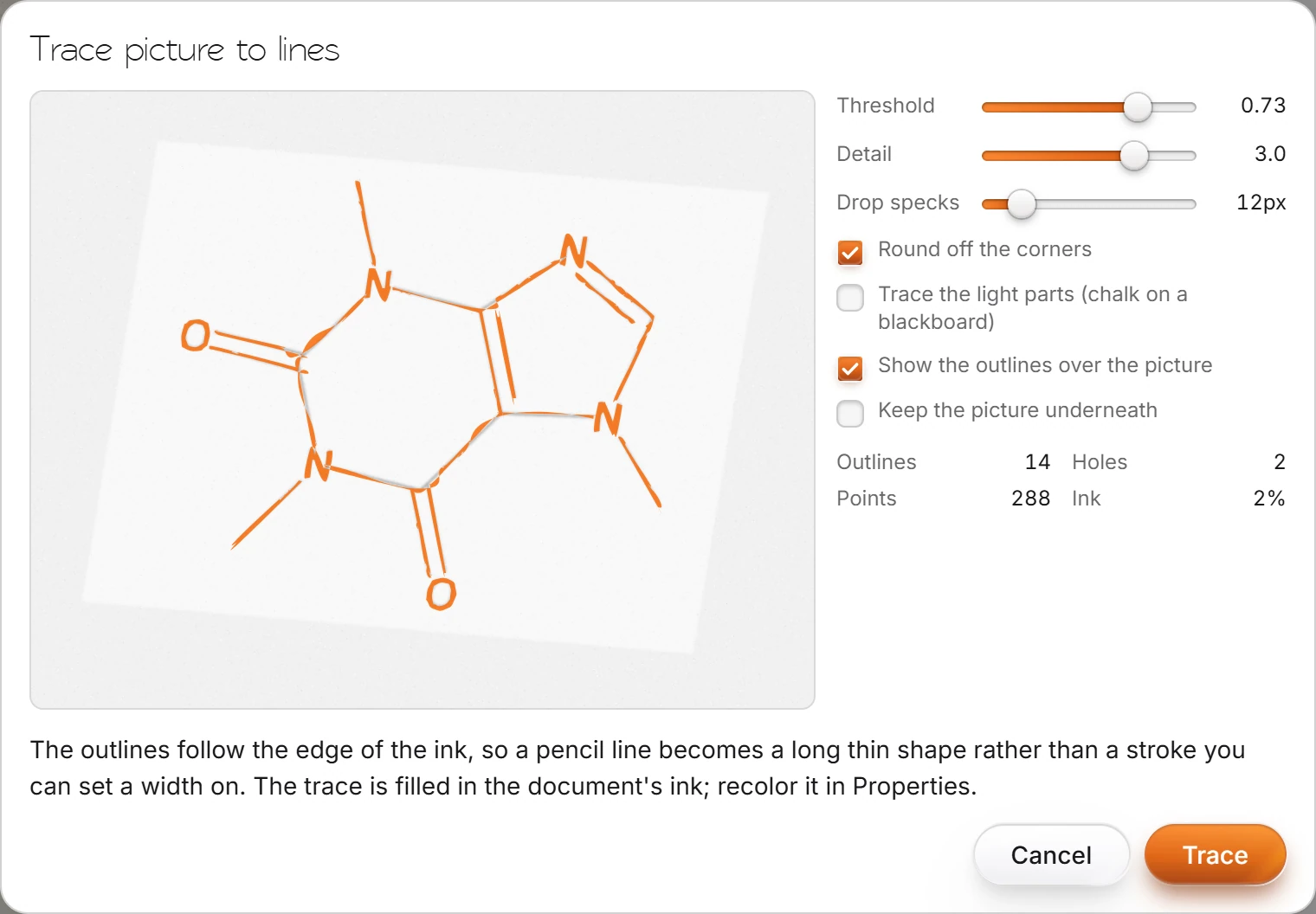
Press Trace.
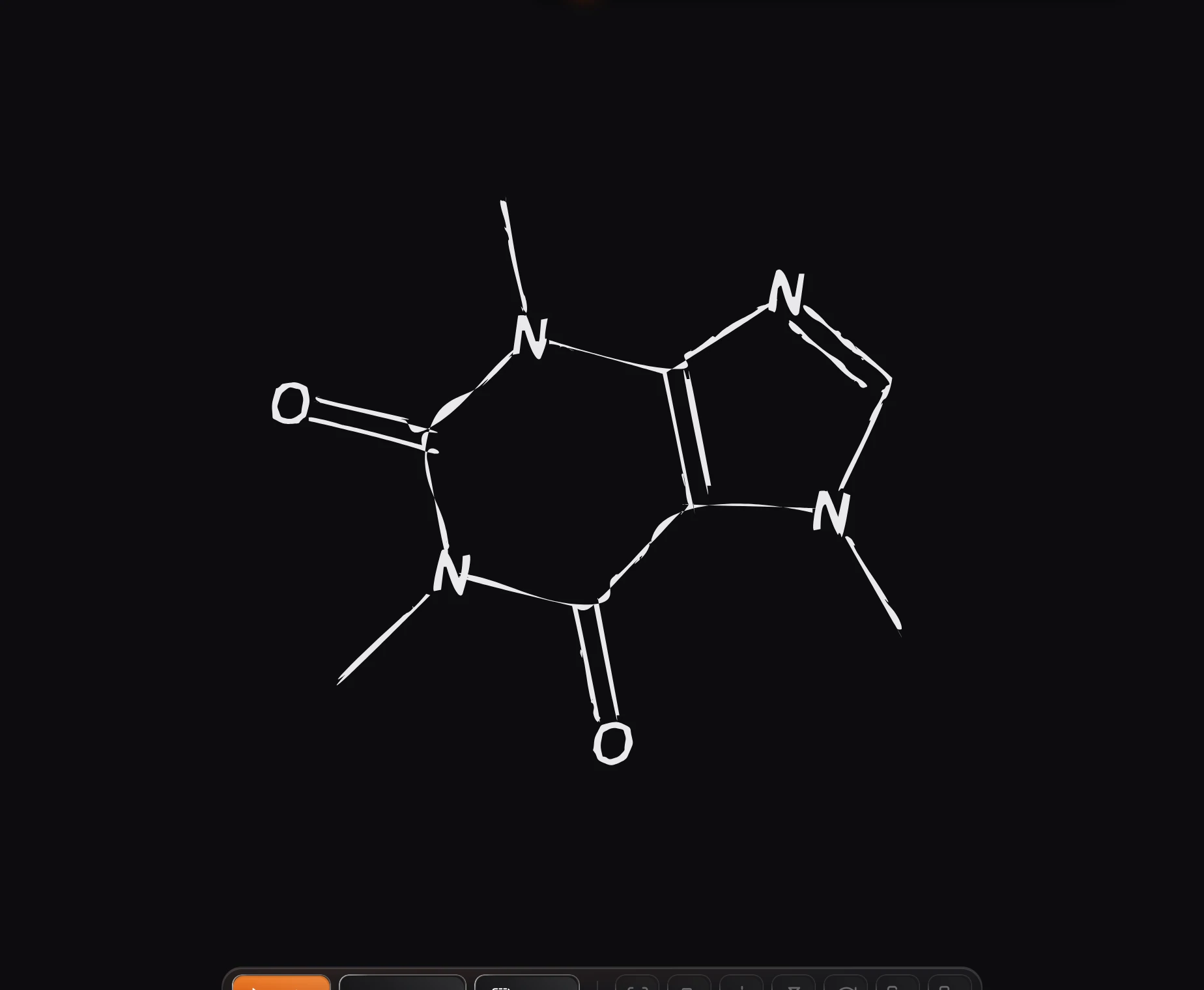
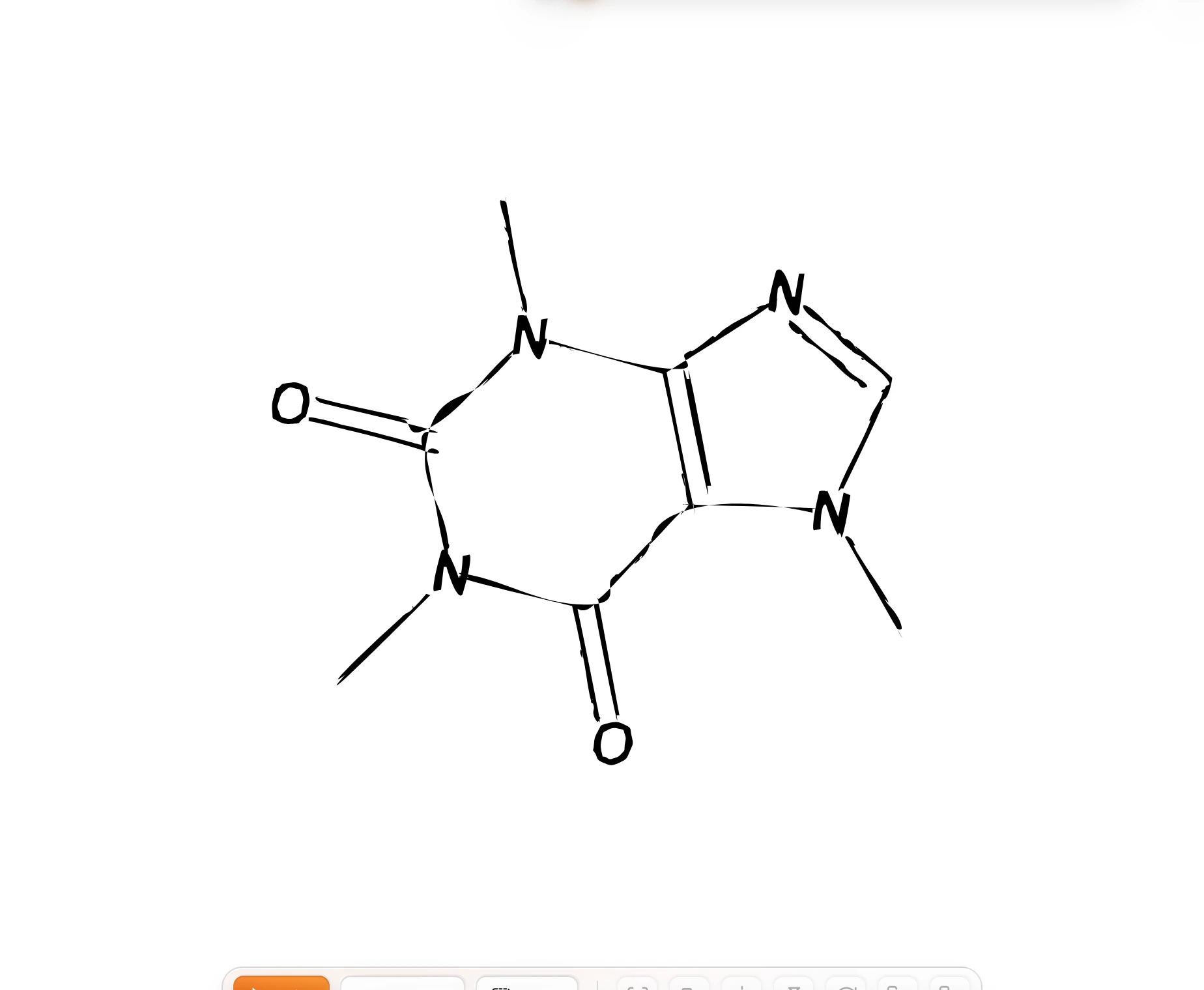
The outlines follow the edge of the ink, so a pencil line becomes a long thin shape rather than a stroke you can set a width on. The trace is filled in the document's ink; recolor it in Properties.
Is this helpful?
Last updated Nov 12, 2026
- Still stuck? Read the FAQ or contact support.
- Something wrong on this page? Tell us.
- For AI tools: llms.txt