
How to insert an optics bench or P-V diagram
Choose Insert › Insert optics bench for a lens ray diagram with image distance and magnification, or Insert › Insert P-V diagram for a gas process with W, ΔU and Q.
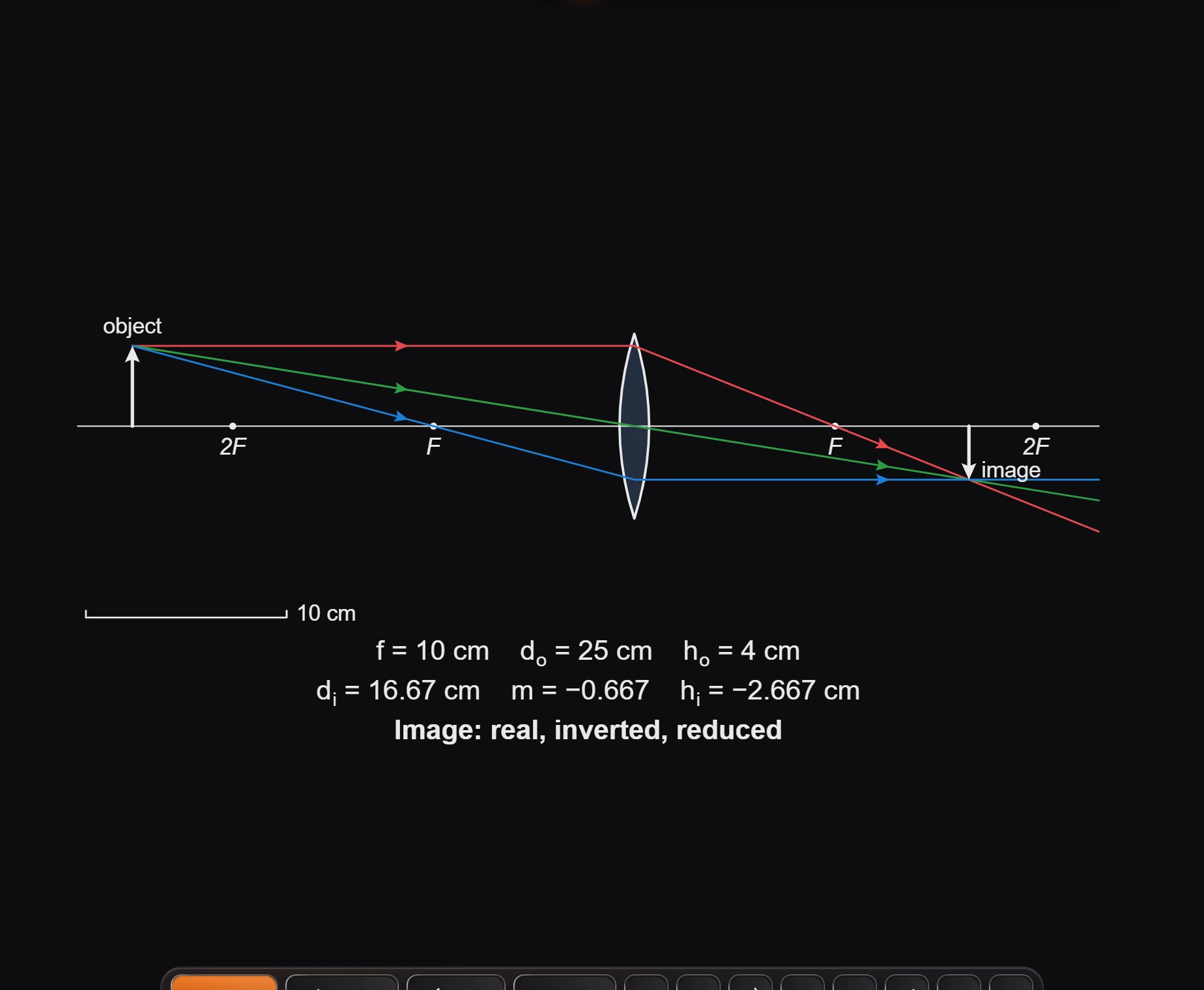
Optics bench
Choose Main menu › Insert › Insert optics bench. It draws the object, the lens with its focal points, the three principal rays and the image, and works out the numbers: focal length, object and image distances, heights and magnification, and whether the image is real or virtual, inverted or upright, enlarged or reduced.
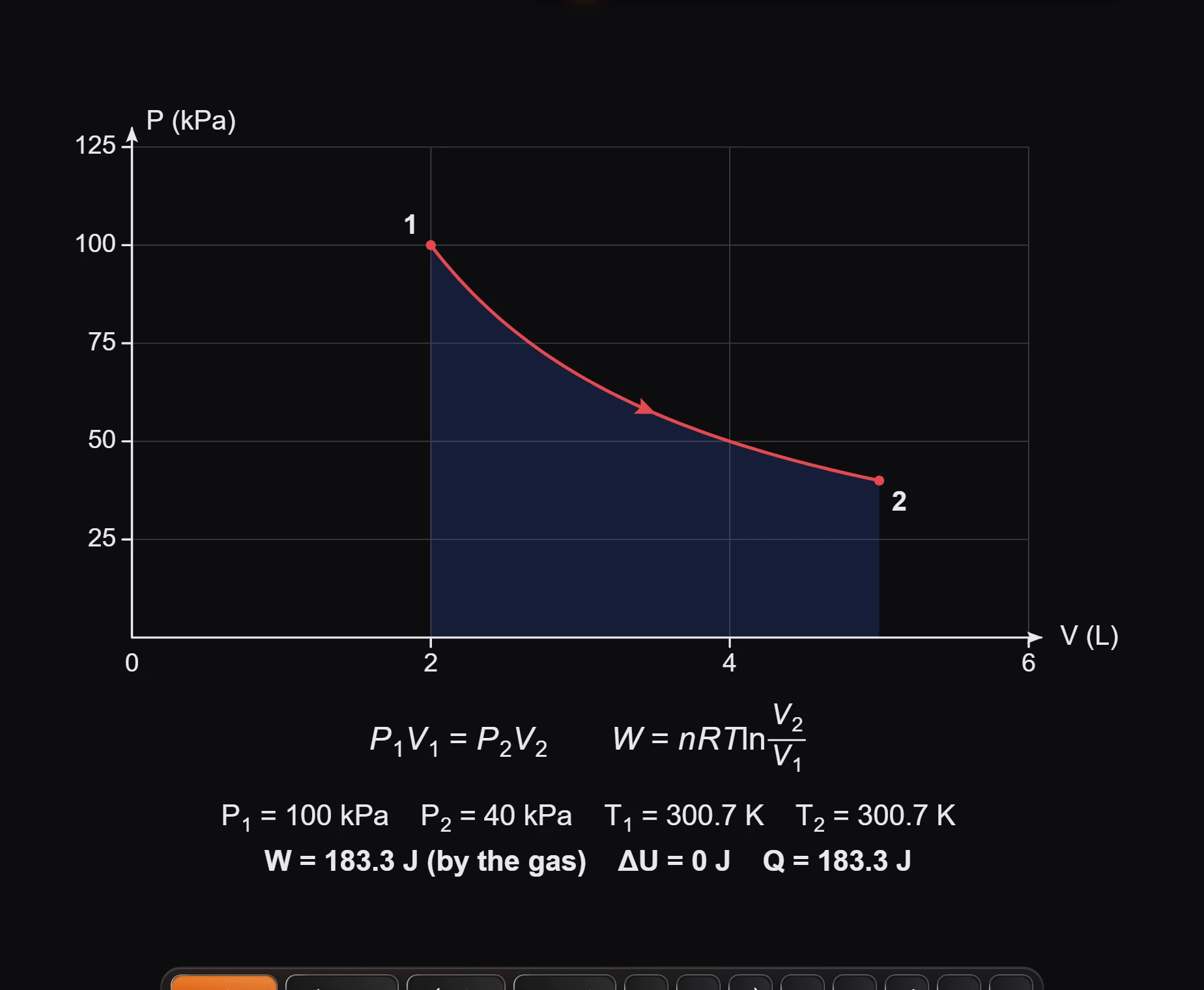
P-V diagram
Choose Main menu › Insert › Insert P-V diagram. It plots a gas process between two states, shades the work, and works out the pressures, temperatures, work, change in internal energy and heat.
Is this helpful?
Last updated Nov 12, 2026
- Still stuck? Read the FAQ or contact support.
- Something wrong on this page? Tell us.
- For AI tools: llms.txt