
How to review a reaction for green chemistry
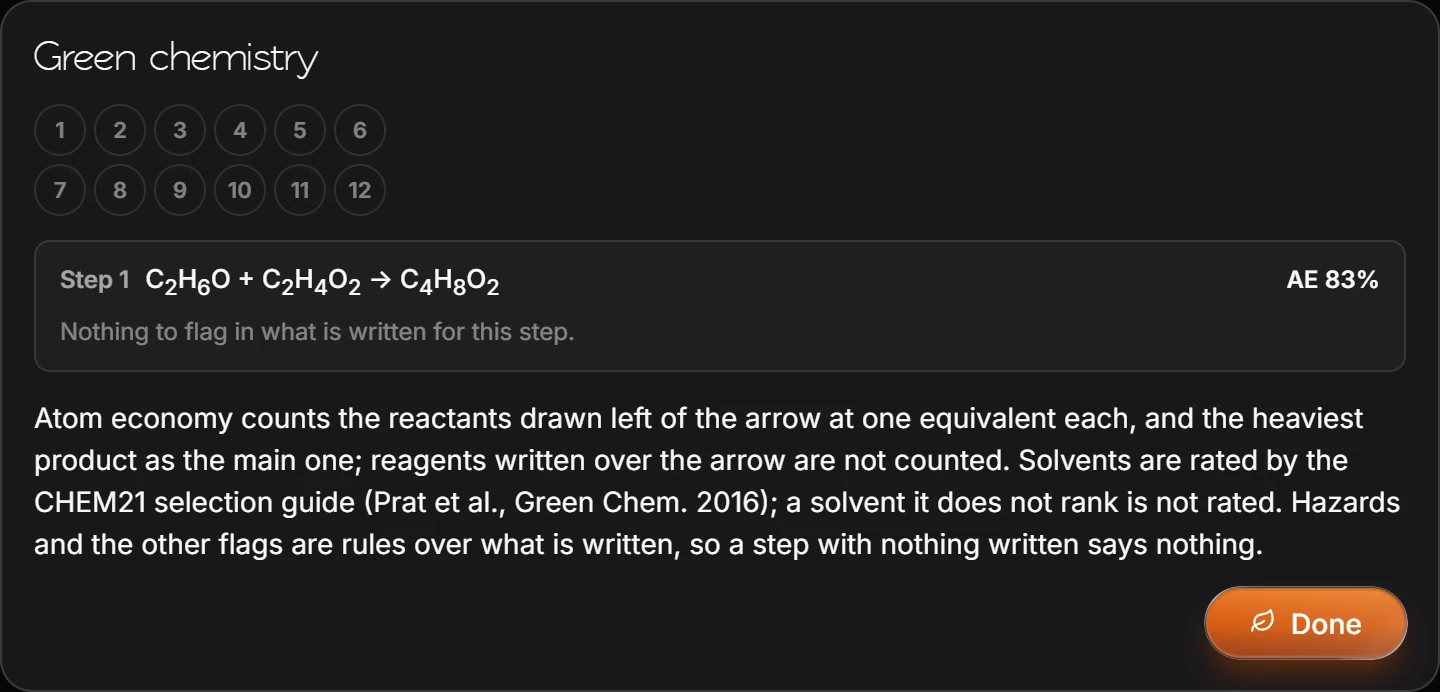
Select the reaction and choose Object › Chemistry › Green chemistry. Each step shows its atom economy (AE) and any flags on what is written, such as a solvent the CHEM21 guide ranks poorly.
Steps
Draw the reaction, with conditions over the arrow if you have them, and select it.
Choose Main menu › Object › Chemistry › Green chemistry.
Each step is listed with its equation and AE, its atom economy, followed by anything worth flagging.
How it is worked out
- Atom economy counts the reactants drawn left of the arrow at one equivalent each, and the heaviest product as the main one. Reagents written over the arrow are not counted.
- Solvents are rated by the CHEM21 selection guide (Prat et al., Green Chem. 2016). A solvent the guide does not rank is not rated.
- Hazards and other flags are rules over what is written, so a step with nothing written says nothing.
To pick a better solvent, see the Solvent selector.
Is this helpful?
Last updated Nov 12, 2026
- Still stuck? Read the FAQ or contact support.
- Something wrong on this page? Tell us.
- For AI tools: llms.txt