
How to map reaction atoms
Select the reaction and choose Object › Chemistry › Map reaction atoms automatically. Each atom gets a map number, matched across the arrow, and new bonds are marked. Object › Clear atom mapping removes it.
Map automatically
Draw the reaction, for example ethanol and acetic acid to ethyl acetate, and select it.
Choose Main menu › Object › Chemistry › Map reaction atoms automatically.
Each heavy atom gets a map number, such as :3, and the product atom it becomes carries the same number. A bond that forms in the reaction is marked in green.
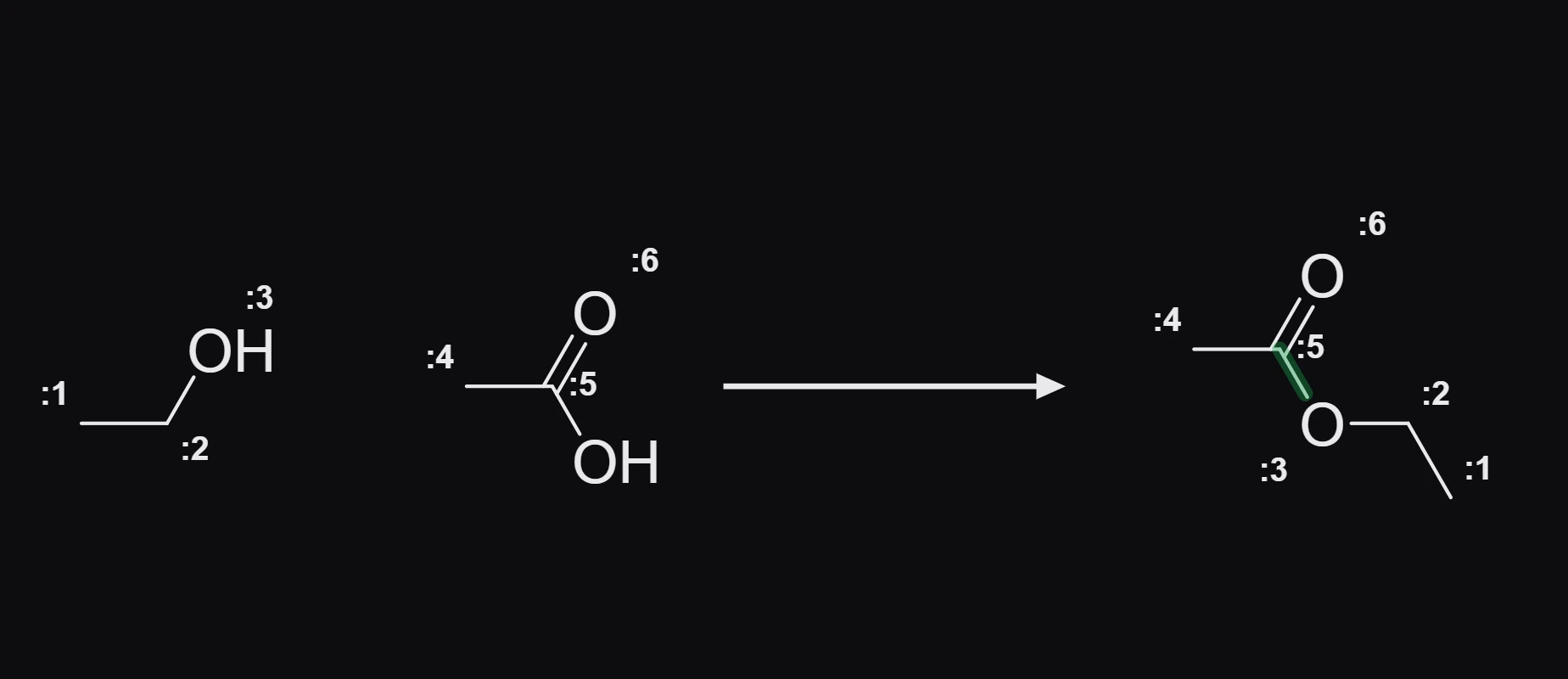
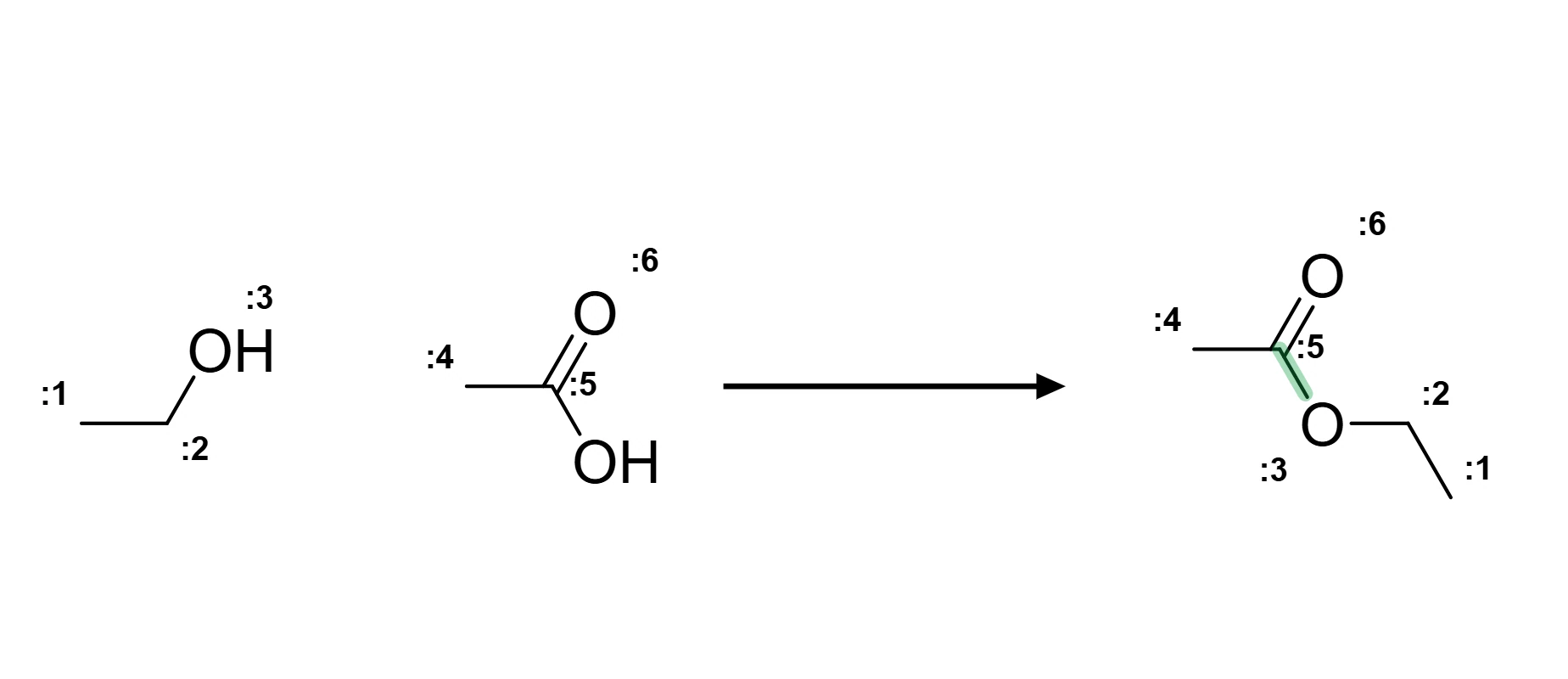
In this Fischer esterification the ester oxygen (:3) comes from ethanol, and the acid's OH leaves as water.
Map by hand
Select one atom on each side and choose Main menu › Object › Map these two atoms. Object › Clear atom mapping removes the numbers.
Is this helpful?
Last updated Nov 12, 2026
- Still stuck? Read the FAQ or contact support.
- Something wrong on this page? Tell us.
- For AI tools: llms.txt