
How to make a stoichiometry table
Draw the reaction and choose View › Stoichiometry table. Pick the limiting reagent and its mass; the other amounts follow from their equivalents, with the theoretical yield below.
Steps
Draw the reaction, for example ethanol and acetic acid to ethyl acetate.
Choose Main menu › View › Stoichiometry table.
Pick the Limiting reagent and type its Mass (mg).
Set each other reactant's Equiv. Its mmol and mass follow.
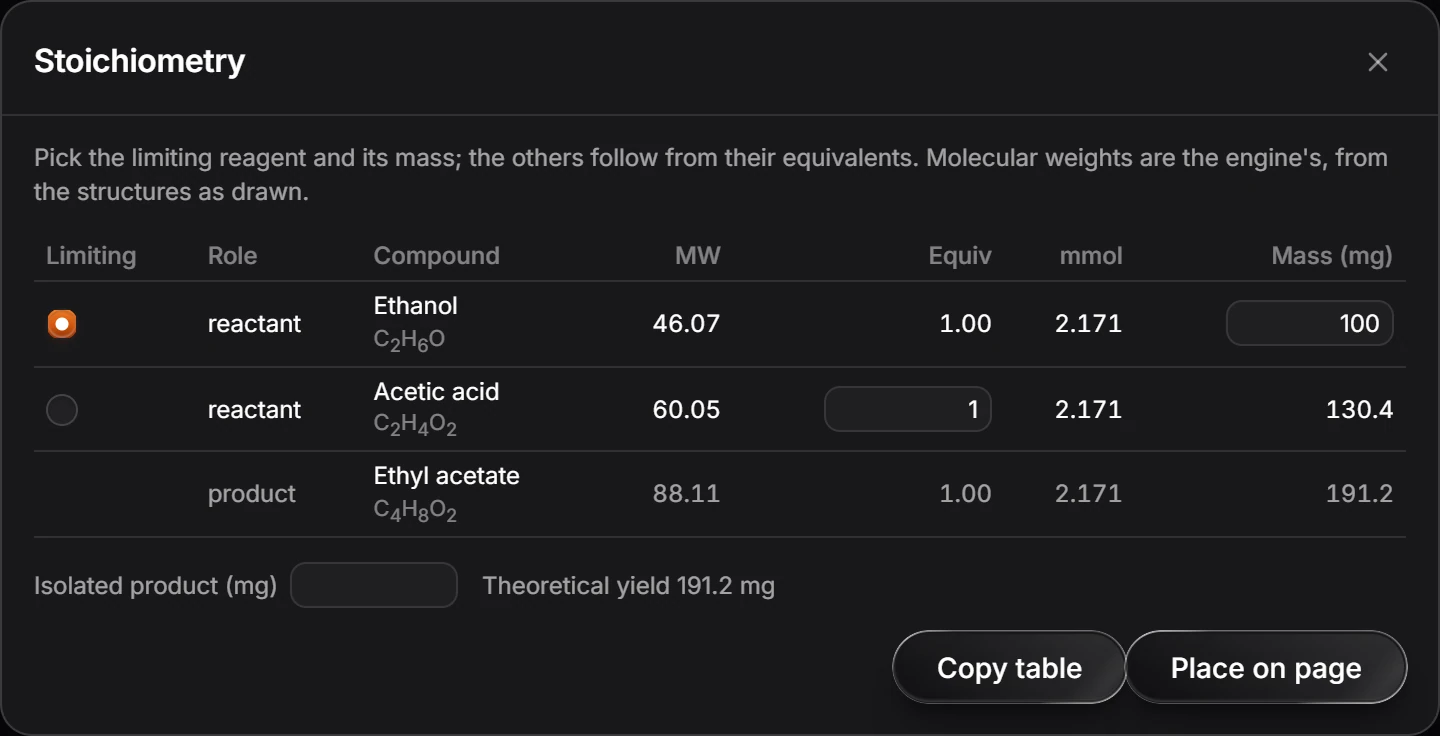
Type the Isolated product (mg) to compare with the Theoretical yield.
Copy table copies it, and Place on page puts it beside the reaction.
Molecular weights come from the structures as drawn.
Is this helpful?
Last updated Nov 12, 2026
- Still stuck? Read the FAQ or contact support.
- Something wrong on this page? Tell us.
- For AI tools: llms.txt