
How to duplicate, copy and paste
Ctrl+C and Ctrl+V copy and paste; Ctrl+Shift+D duplicates beside the original; Ctrl+Shift+V pastes in the same place. Edit › Copy as copies the structure as SMILES, InChI, molfile, CDXML and more.
| Command | Shortcut |
|---|---|
| Edit › Copy | Ctrl+C |
| Edit › Cut | Ctrl+X |
| Paste | Ctrl+V |
| Edit › Paste in place (same position as the original) | Ctrl+Shift+V |
| Object › Duplicate (a copy beside the original) | Ctrl+Shift+D |
Copy as
Main menu › Edit › Copy as copies the selected structure in a format another program reads.
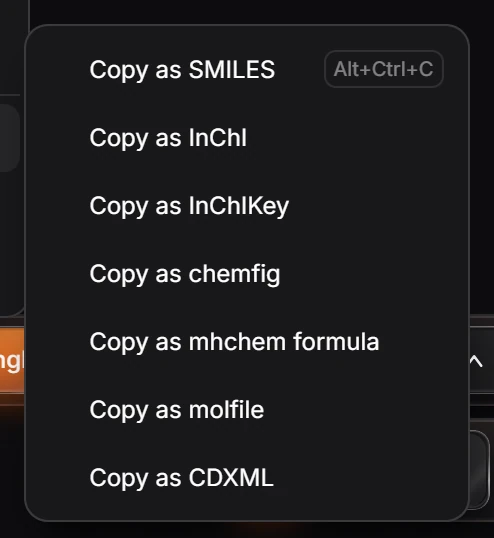
Copy as SMILES is also Ctrl+Alt+C. See How to copy SMILES, InChI and other identifiers.
Is this helpful?
Last updated Nov 12, 2026
- Still stuck? Read the FAQ or contact support.
- Something wrong on this page? Tell us.
- For AI tools: llms.txt