
Supported file formats
Export (Ctrl+Shift+E) writes images (PNG, SVG, PDF, TIFF, EMF, EPS, JPEG, WMF), ChemDraw CDXML and CDX, chemistry files (MOL, SDF, SMILES, InChI, InChIKey, CML, Marvin, RXN, RDF) and computation files (XYZ, PDB, MOL2, Gaussian, ORCA).
Open the Export window with Ctrl+Shift+E or Main menu › File › Export…. Every format is listed on the left, and Search formats finds one.
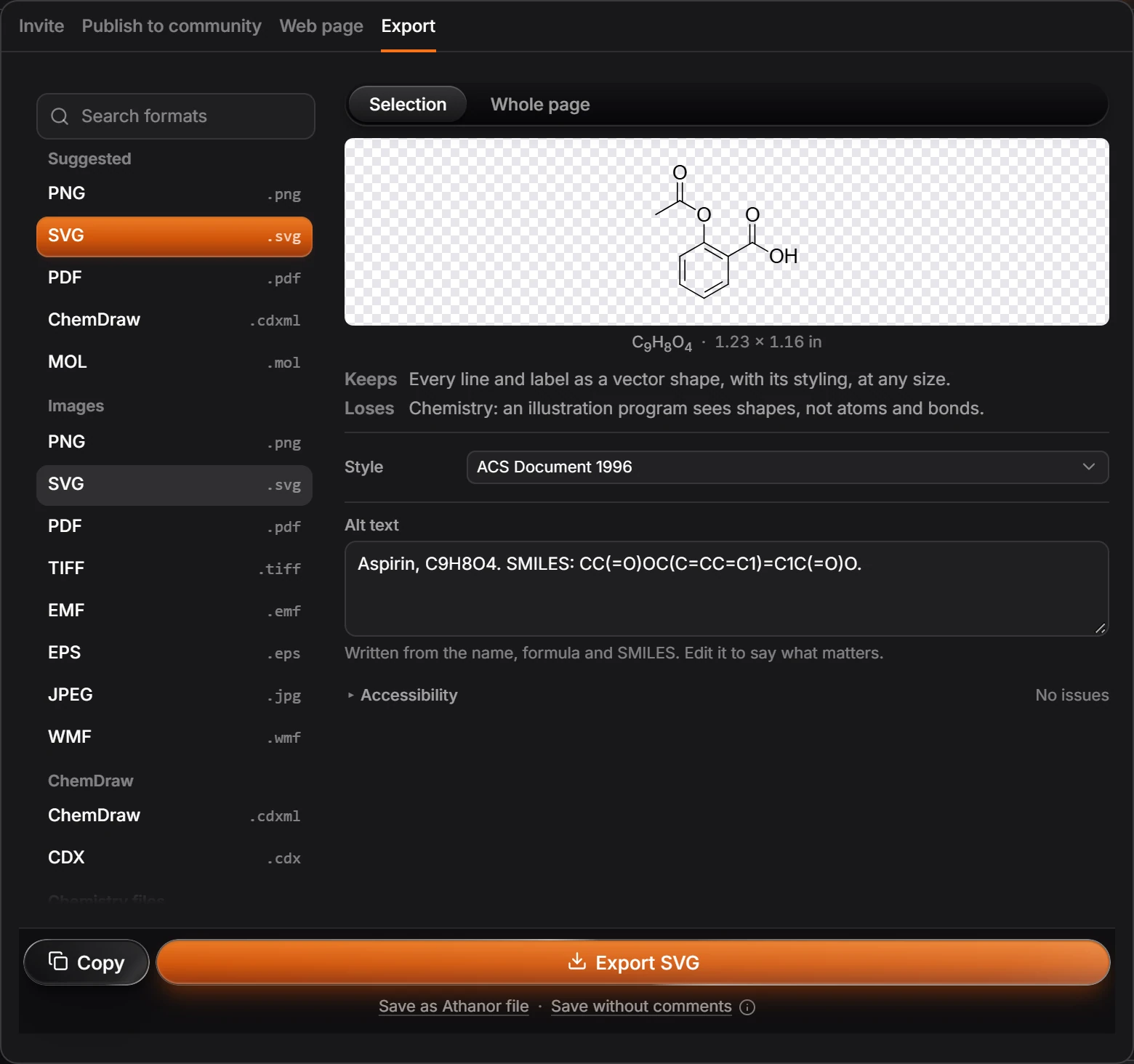
| Group | Formats |
|---|---|
| Images | PNG, SVG, PDF, TIFF, EMF, EPS, JPEG, WMF |
| ChemDraw | ChemDraw (.cdxml), CDX (.cdx) |
| Chemistry files | MOL, SDF, SMILES (.smi), InChI (.txt), InChIKey (.txt), CML, Marvin (.mrv), RXN, RDF |
| Computation | XYZ, PDB, MOL2, Gaussian (.gjf), ORCA (.inp) |
For each format the window says what it Keeps and what it Loses. An SVG, for example, keeps every line and label as a vector shape but loses the chemistry: an illustration program sees shapes, not atoms and bonds.
Files from plugins appear under From plugins. To open files, see How to open ChemDraw files. Your own documents save as .athanor with File › Download as .athanor.
Is this helpful?
Last updated Nov 12, 2026
- Still stuck? Read the FAQ or contact support.
- Something wrong on this page? Tell us.
- For AI tools: llms.txt