
How to bring in a PowerPoint deck
Drag a .pptx file onto the canvas. Each slide becomes a frame on the page with its text, shapes, pictures and tables, in a group named after the file.
Steps
Drag a
.pptxfile from your computer onto the canvas, for example a three-slide lecture.Each slide becomes a frame on the page, labeled Slide 1, Slide 2 and so on, with its text, shapes, pictures and tables. Layers lists them in a group named after the file.

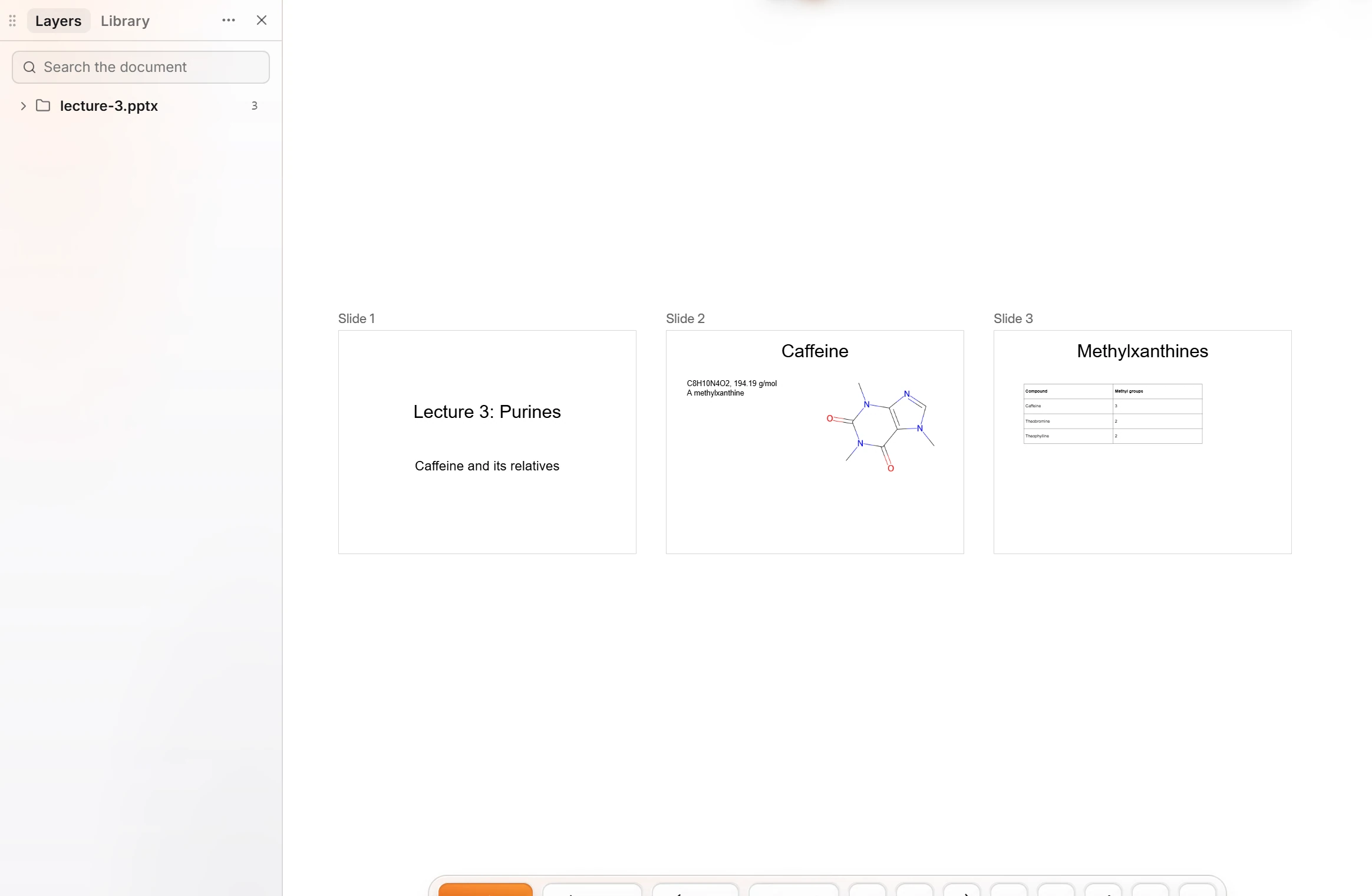
Edit the text and shapes, draw structures on the slides, and present them. See slides.
Anything that cannot be edited, such as a chart, is marked where it was. A picture of a structure stays a picture; draw the structure over it, or right-click it and choose Convert to structure when signed in.
Is this helpful?
Last updated Nov 12, 2026
- Still stuck? Read the FAQ or contact support.
- Something wrong on this page? Tell us.
- For AI tools: llms.txt