
How to back up and restore your documents
Choose File › Backups… (Settings › Storage & backups). Choose a backup folder for automatic backup, Export everything for a one-off copy, and From files… to restore. Restoring never overwrites.
Open Storage & backups
Choose Main menu › File › Backups…, or open Settings and choose Storage & backups.
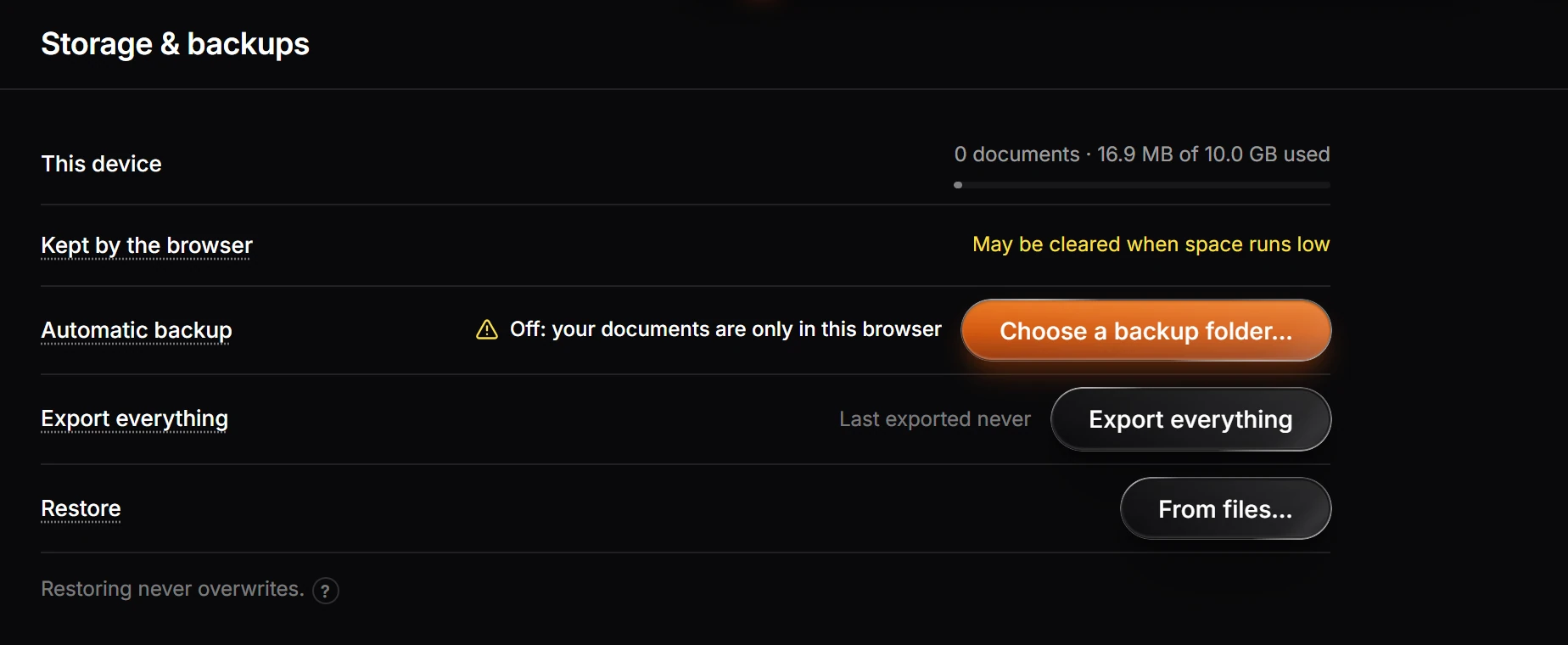
| Row | What it says or does |
|---|---|
| This device | How many documents this device holds, and the space used |
| Kept by the browser | Whether the browser may clear your documents when space runs low |
| Automatic backup | Choose a backup folder… to copy your documents there as you work. Until you do, it warns that your documents are only in this browser |
| Export everything | Saves a copy of every document at once, and says when you last did |
| Restore | From files… brings documents back from a backup or an export |
Tip
Restoring never overwrites a document you already have.
Needs an account
Signed in, your documents also sync to your account. See Where your work is saved.
Is this helpful?
Last updated Nov 12, 2026
- Still stuck? Read the FAQ or contact support.
- Something wrong on this page? Tell us.
- For AI tools: llms.txt