
Settings
Choose File › Settings…. General has Theme, Language, New documents, Using Athanor for, Subject, Scroll wheel, your abbreviations, and Export, Import and Reset for your preferences.
Choose Main menu › File › Settings…. The sections are General, Accessibility, Plan, AI, Storage & backups, Shortcuts and Licenses.
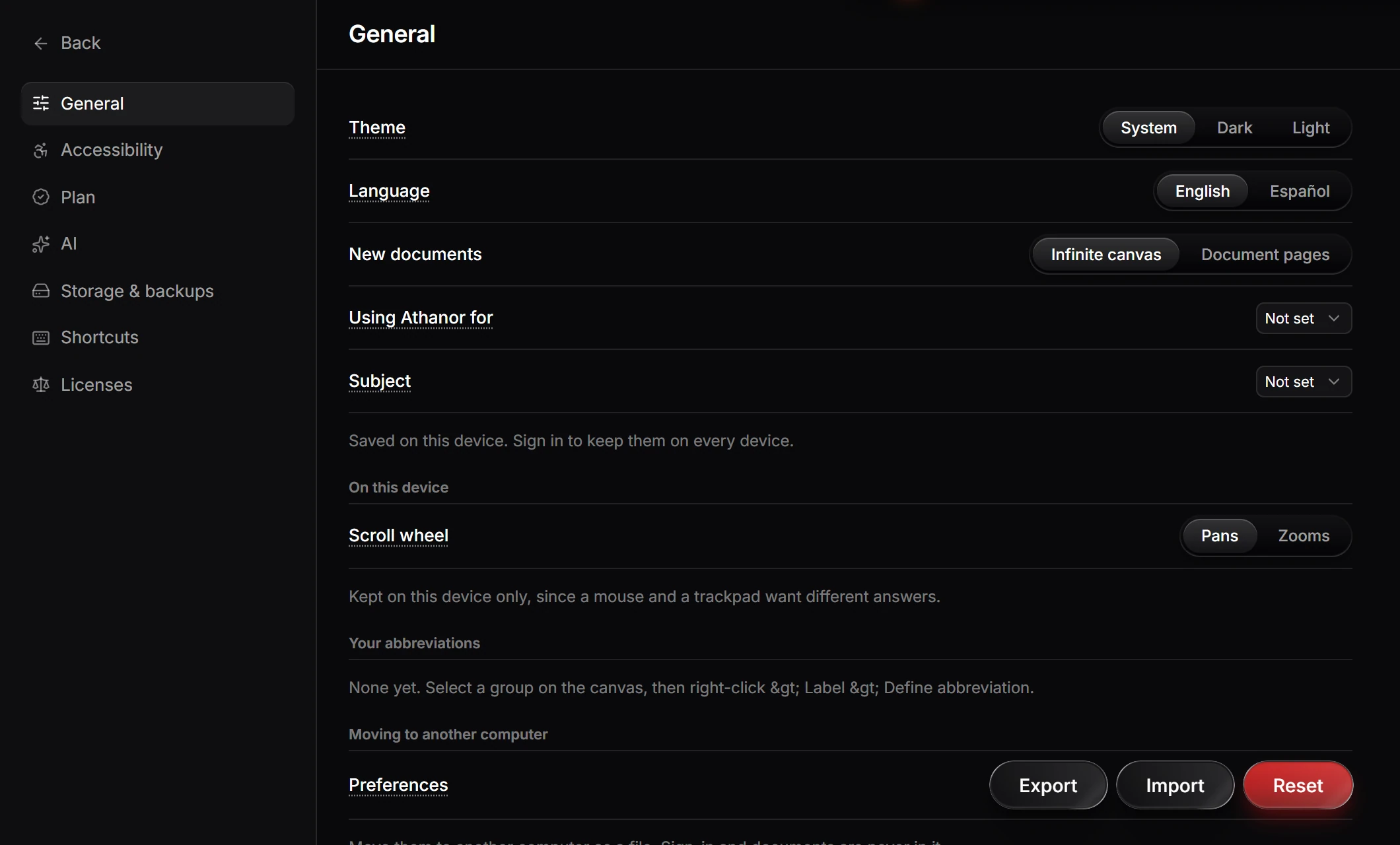
General
| Setting | Choices |
|---|---|
| Theme | System, Dark or Light |
| Language | English or Español |
| New documents | Infinite canvas or Document pages |
| Using Athanor for, Subject | Optional: what you use Athanor for and your subject |
| Scroll wheel | Pans or Zooms. Kept on this device only, since a mouse and a trackpad want different answers |
| Your abbreviations | Groups you defined with Define abbreviation |
| Preferences | Export and Import move them to another computer as a file; Reset goes back to the defaults |
Settings are saved on this device. Signed in, they follow you to every device. The exported file never holds your sign-in or your documents.
The other sections: Accessibility, AI, Storage & backups and Shortcuts.
Is this helpful?
Last updated Nov 12, 2026
- Still stuck? Read the FAQ or contact support.
- Something wrong on this page? Tell us.
- For AI tools: llms.txt