
How to open, arrange and reset panels
Choose View › Panels to open a panel, Show all panels, or Reset panel layout. Shortcuts open the common ones: Shift+L Layers, Shift+B Library, I Compound info, Shift+A AI assistant, Shift+3 3D preview.
Open a panel
Choose Main menu › View › Panels. A check mark shows the panels already open.
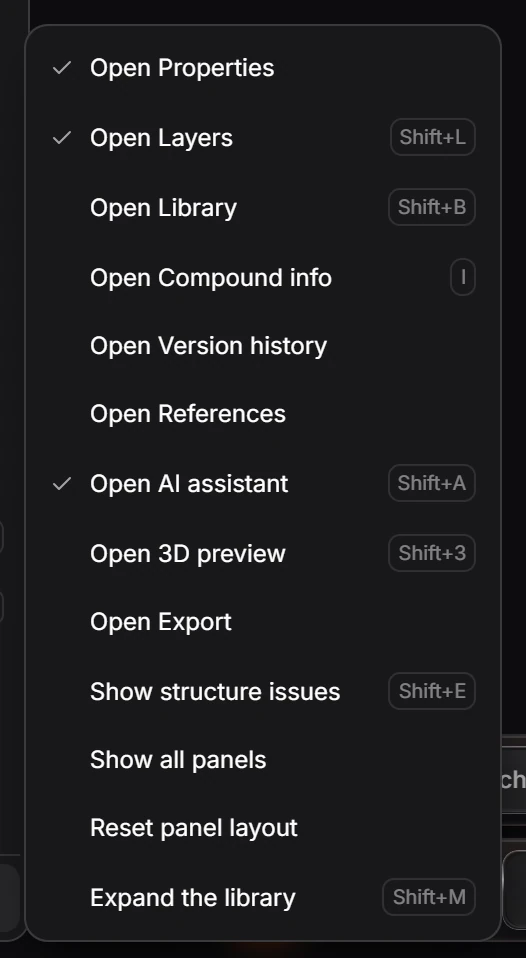
| Panel | Shortcut |
|---|---|
| Properties | |
| Layers | Shift+L |
| Library | Shift+B |
| Compound info | I |
| Version history | |
| References | |
| AI assistant | Shift+A |
| 3D preview | Shift+3 |
| Export | |
| Show structure issues | Shift+E |
Arrange
- Drag a panel by its grip to move it.
- Expand the library (Shift+M) gives the Library more room.
- Show all panels opens every panel at once.
- Reset panel layout puts every panel back where it started.
Is this helpful?
Last updated Nov 12, 2026
- Still stuck? Read the FAQ or contact support.
- Something wrong on this page? Tell us.
- For AI tools: llms.txt