
How to add text and captions
Press T and click empty canvas to type text. Bold text is Ctrl+B, Italic text Ctrl+I, and Align text left, center or right is Ctrl+Shift+L, C or R.
Steps
Press T for the Text tool.
Click an empty spot on the canvas, for example under a structure, and type.

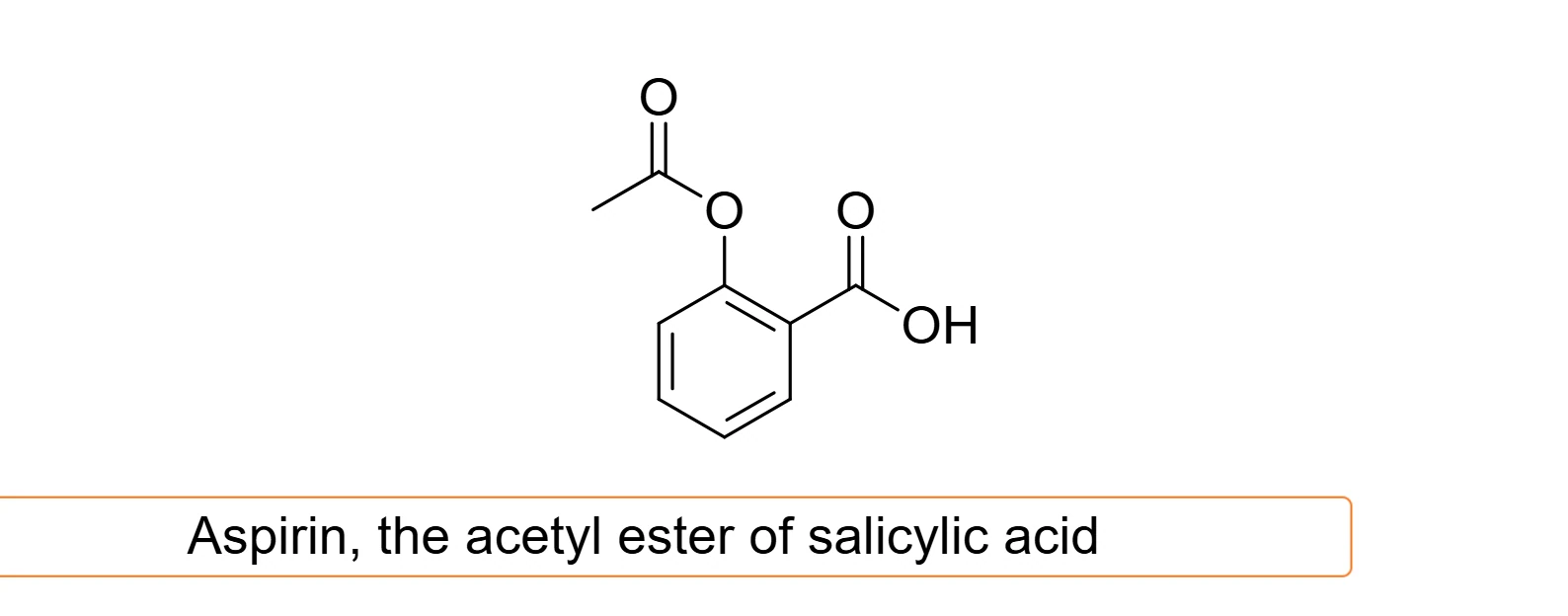
Press Esc or click elsewhere to finish. Click the text again with the Text tool to edit it.
Clicking an atom with the Text tool edits that atom's label instead. See How to type atom labels like CO2Et or NHBoc.
Format text
Select the text, or part of it while typing, and use:
| Command | Shortcut |
|---|---|
| Bold text | Ctrl+B |
| Italic text | Ctrl+I |
| Align text left | Ctrl+Shift+L |
| Align text center | Ctrl+Shift+C |
| Align text right | Ctrl+Shift+R |
They are also in Edit › Text, with Format chemistry as you type, which writes the numbers in formulas such as H2SO4 as subscripts while you type.
Is this helpful?
Last updated Nov 12, 2026
- Still stuck? Read the FAQ or contact support.
- Something wrong on this page? Tell us.
- For AI tools: llms.txt