
How to present a mechanism step by step in a lecture
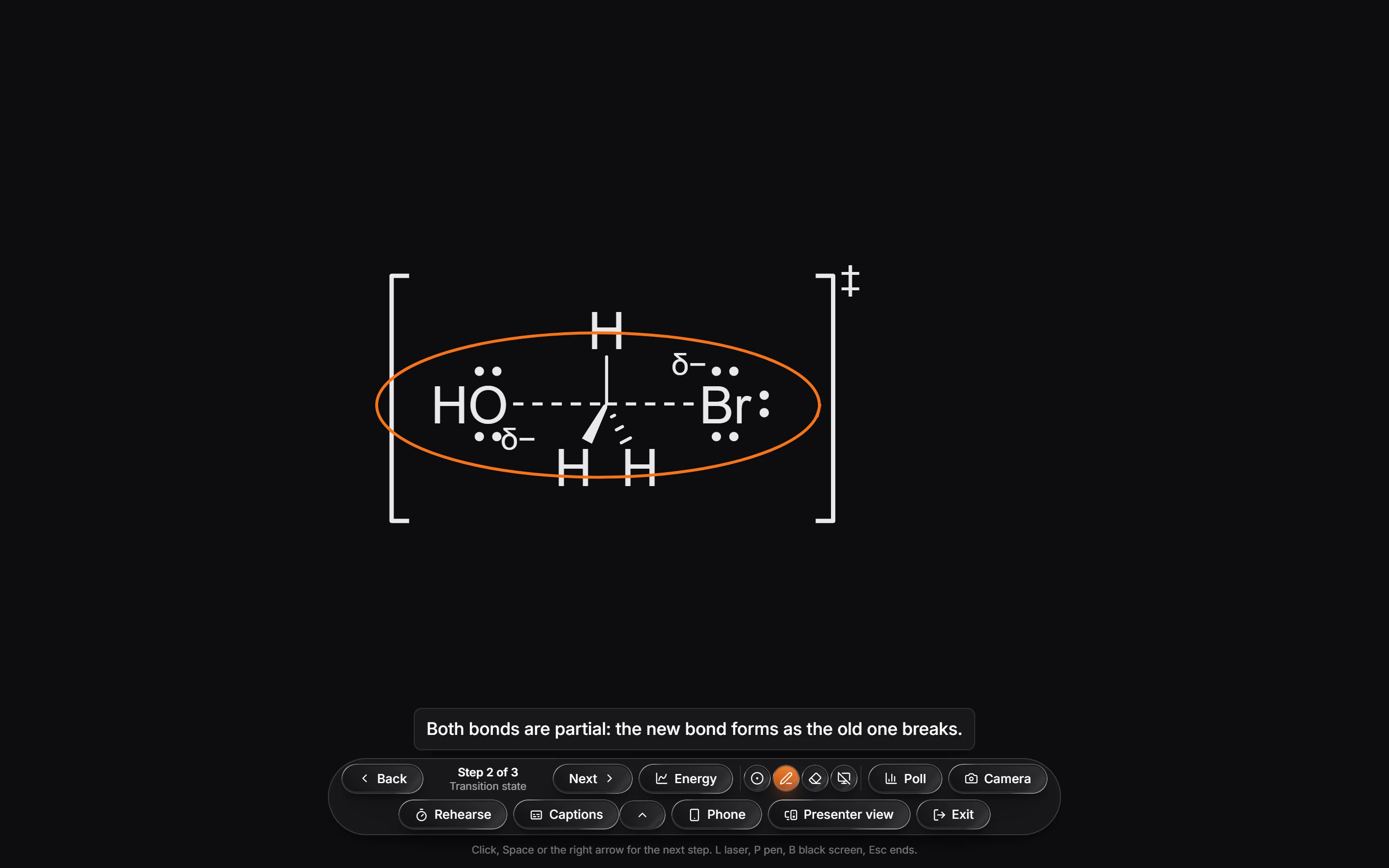
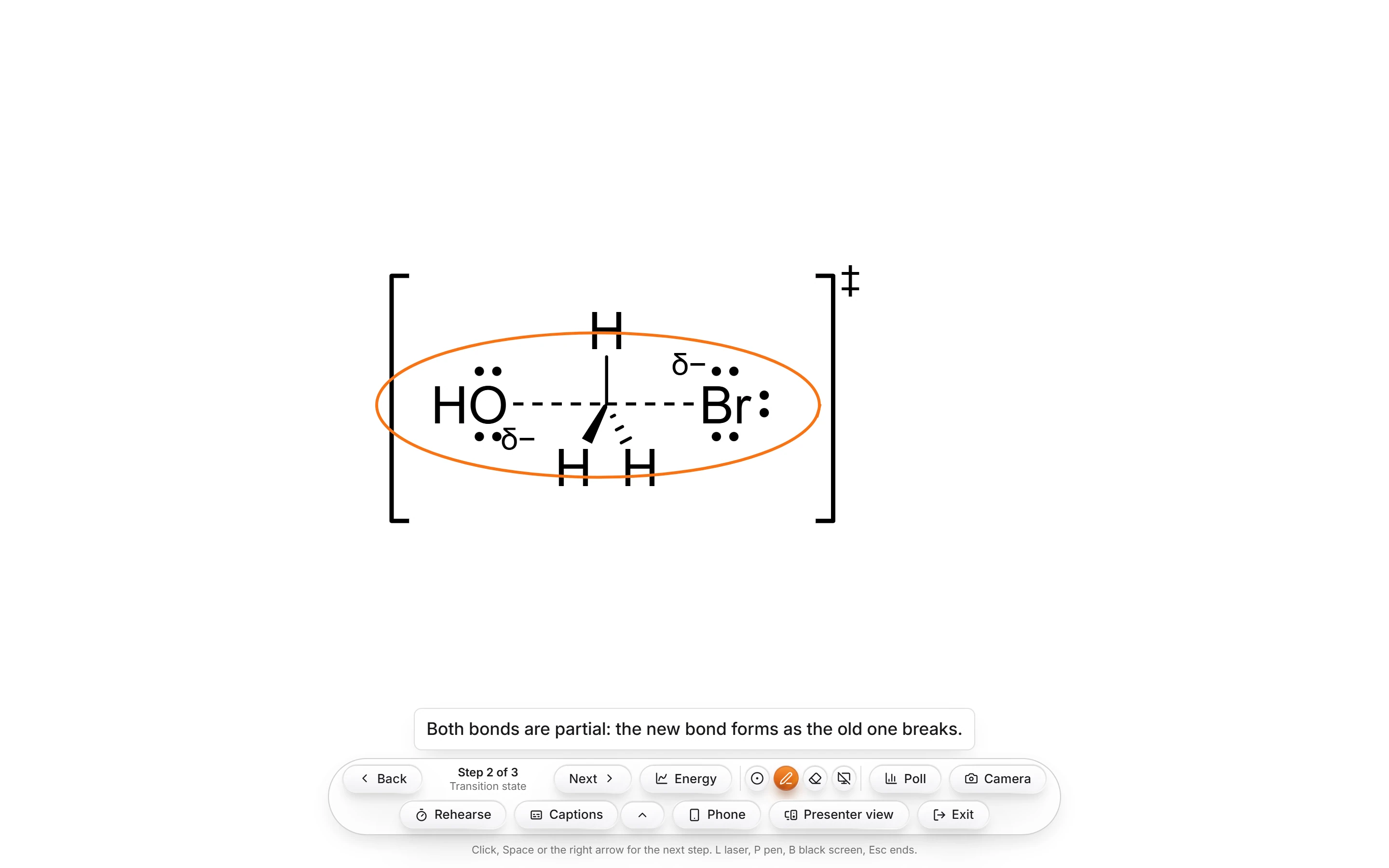
Animate the mechanism, then press Present on the Timeline. The mechanism fills the screen on step 1. Click, press Space or the right arrow to play the next step and stop on it. L is a laser pointer, P a pen, B a black screen, and Esc ends.
Steps
Animate the mechanism. Draw it and press Animate my arrows, as in How to animate a mechanism. To try it with a ready-made one, open the Timeline with Animate and pick an example such as SN2 substitution; it comes with its steps and a caption already written.
Press Present on the Timeline. It appears once the animation has two or more steps. When the window is narrow, it moves into the Timeline's ⋯ (More) menu.


The mechanism fills the screen, held on step 1, with every tool and panel put away.
Click anywhere, press Space or the right arrow to play the next step. It plays and stops on it, so you can talk about it. Press during a step to finish it at once.
Press Esc or Exit when you are done. You are back where you were.
Keys while presenting
| Key | Does |
|---|---|
| Click, Space, Enter, right or down arrow, Page Down | Plays the next step |
| Left or up arrow, Page Up | Goes back a step |
| Home / End | The first or the last step |
| L | A laser pointer |
| P | A pen to draw on the step |
| B | A black screen. Click or press B again to bring it back |
| Esc | Ends the presentation |
The presenter bar
The bar at the bottom says where you are, such as Step 2 of 3 with the step's name, and each step's caption shows above it. Its other buttons:
- Energy shows or hides the energy diagram beside the mechanism.
- Rehearse times each step so you can check your pace before the lecture.
- Captions writes what you say under the step as live captions, in the languages you choose.
- Presenter view opens your notes, the next step and a timer, in a window of its own or beside the step.
- Phone lets you step through from your phone.
- Camera puts your camera in a corner of the screen.
- Poll asks the room a question they answer on their phones. Polls need you signed in.
Tip
Write a caption under each step on the Timeline before class. It shows above the presenter bar while that step is on screen.
Note
Present here steps through one animation. To present a whole deck of frames, use Present slides.
Is this helpful?
Last updated Nov 12, 2026
- Still stuck? Read the FAQ or contact support.
- Something wrong on this page? Tell us.
- For AI tools: llms.txt