
How to animate a reaction mechanism
Draw a mechanism step with its curved arrows, open the Timeline (Animate in the top bar, or Ctrl+Shift+T) and press Animate my arrows. Athanor works out the steps that follow from the arrows and Play runs them as a film.
Steps
Draw the starting structures and the curved arrows for the step. See How to draw curved arrows for a mechanism.
Press Animate in the top bar (or Ctrl+Shift+T). The Timeline opens under the canvas. With no steps yet it says so, and How an animation works explains the idea.
Press Animate my arrows. Athanor reads each arrow, works out the product of the step, and adds the steps to the Timeline. For SN2 that is Before, Transition state and After, each with a picture and a caption you can edit.


Press Play. The step plays as a film: bonds stretch, break and form along the arrows, and partial charges show in the transition state. Speed sets how fast.
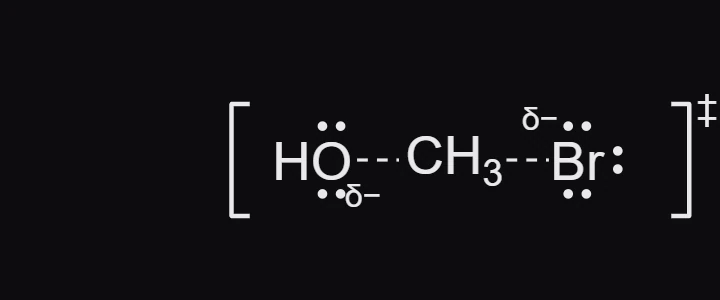
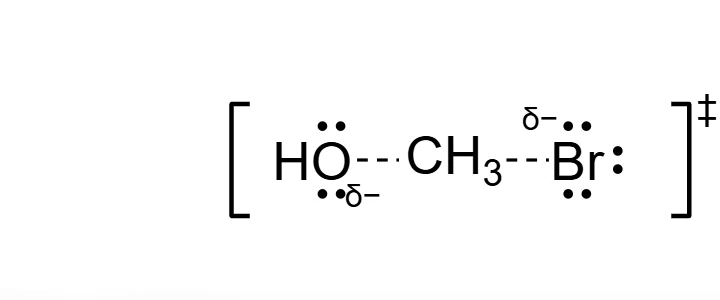
Change anything on the canvas and press Add next step to add a step of your own. Ctrl+Z takes back any change to the animation.
Note
Starting fresh? Home's Animate a mechanism or process opens a new document with the Timeline already open.
What next
- Add an energy diagram that follows the animation.
- Fine-tune timing in the Timeline's advanced mode.
- Export it as a video, GIF or slides.
Is this helpful?
Last updated Nov 12, 2026
- Still stuck? Read the FAQ or contact support.
- Something wrong on this page? Tell us.
- For AI tools: llms.txt