
How to study with flashcards
Choose View › Study flashcards and press Study on a deck, such as Substitution and elimination or Functional groups. A deck from this document collects its reactions.
Steps
Choose Main menu › View › Study flashcards.
Pick a deck and press Study. Each deck shows how many cards are New, Learning and Due.
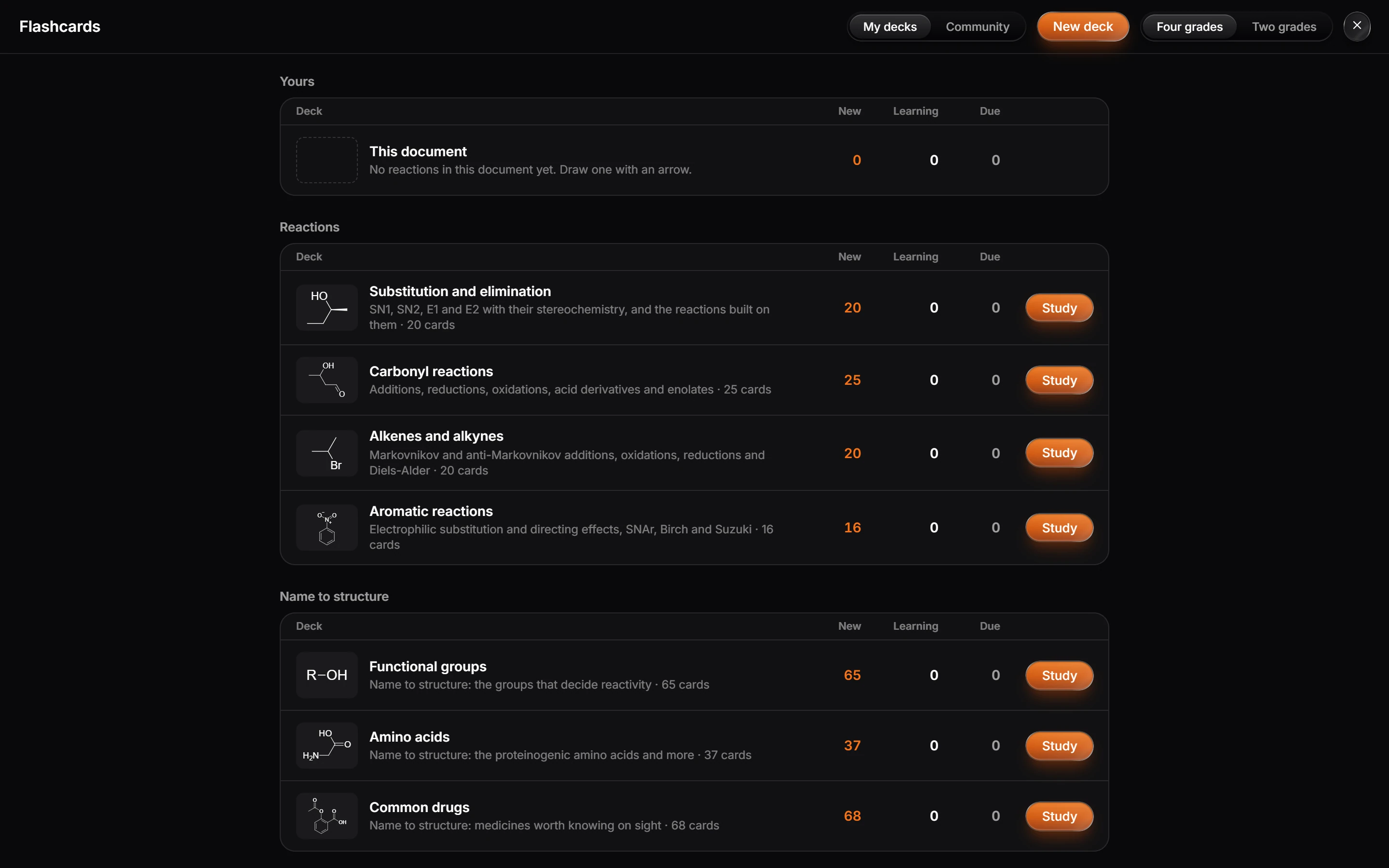
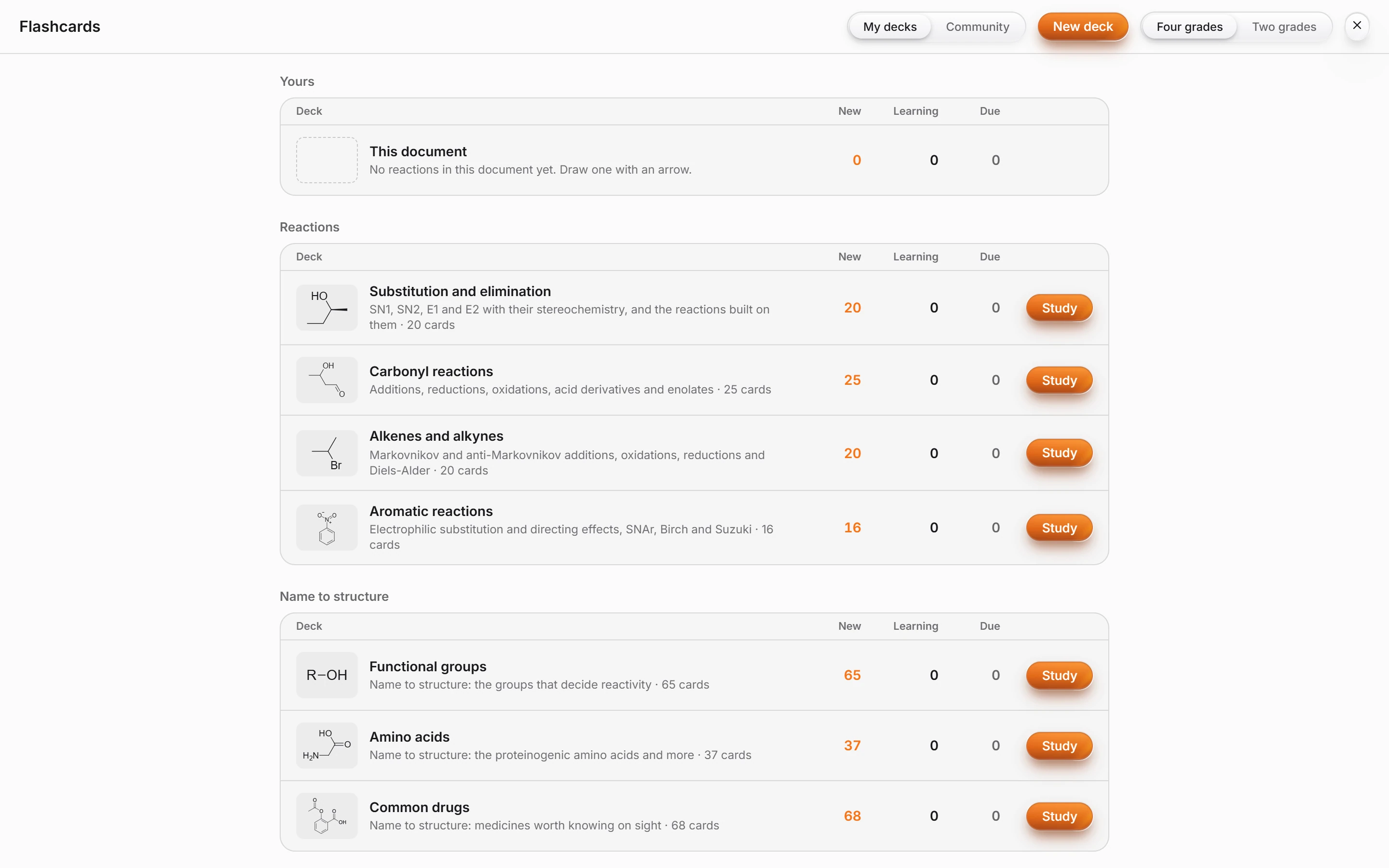
| Group | Decks |
|---|---|
| Yours | This document: the reactions drawn in the open document |
| Reactions | Substitution and elimination, Carbonyl reactions, Alkenes and alkynes, Aromatic reactions |
| Name to structure | Functional groups, Amino acids, Common drugs |
- Grade each card. Four grades or Two grades at the top sets how many choices you get.
New deck makes your own, and Community shows decks others shared.
Is this helpful?
Last updated Nov 12, 2026
- Still stuck? Read the FAQ or contact support.
- Something wrong on this page? Tell us.
- For AI tools: llms.txt