
How to create a problem set
Choose File › New problem set and pick where the problems come from: From your textbook, From a template, or Write your own. Set the number, difficulty and level, then review and assign.
Steps
Choose Main menu › File › New problem set.
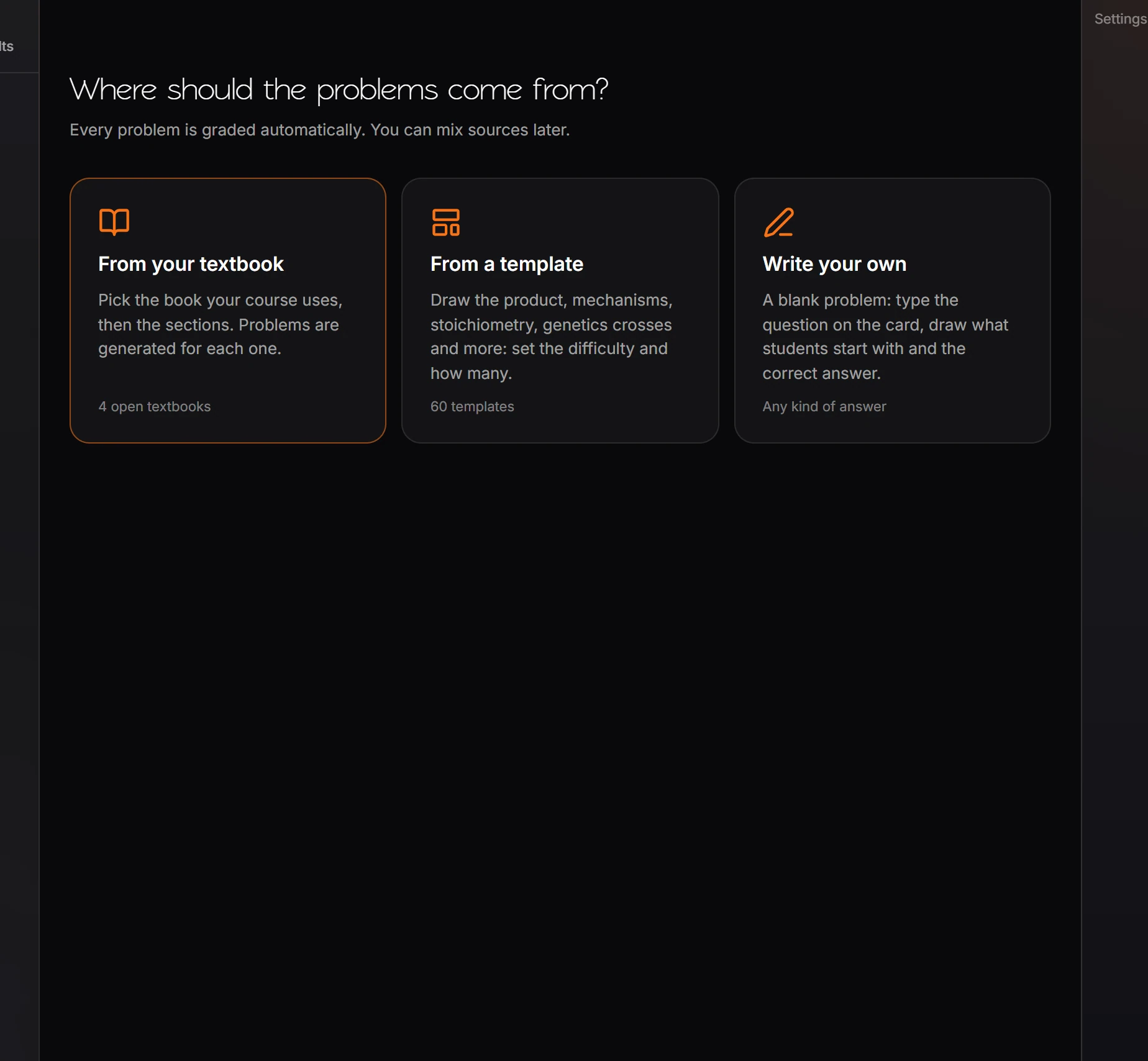
Pick where the problems come from. You can mix sources later.
| Source | Gives |
|---|---|
| From your textbook | Problems generated for each section of an open textbook. See textbook problem banks |
| From a template | 60 templates across general chemistry, organic chemistry, biochemistry, genetics and biology |
| Write your own | A blank problem: type the question, draw what students start with and the correct answer |
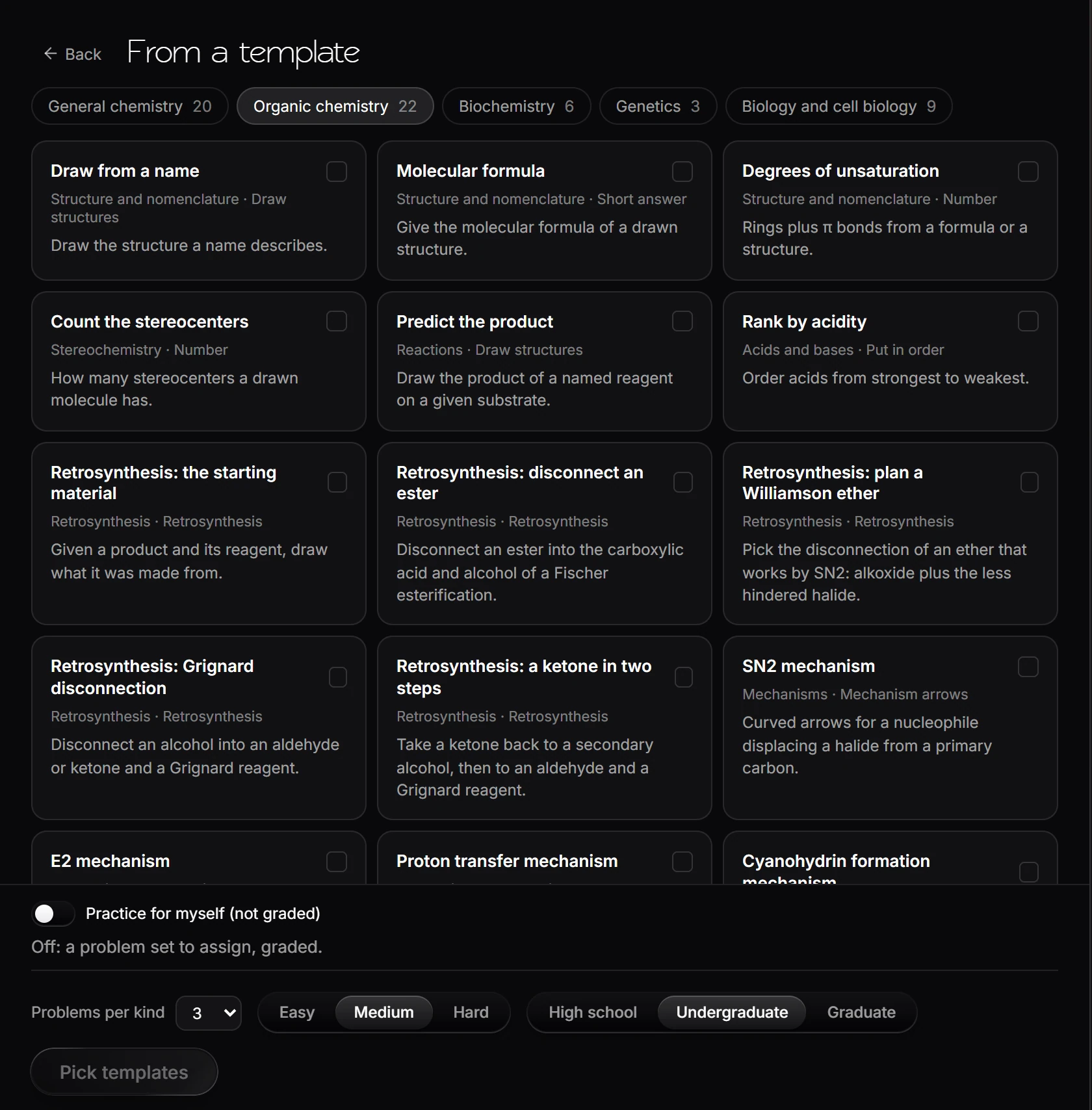
For templates, pick a subject tab, tick the templates you want, and set Problems per kind, the difficulty (Easy, Medium, Hard) and the level (High school, Undergraduate, Graduate). Press Pick templates.
On Build, select a problem to change its answer type, points, tries, variables, hint and explanation in the panel on the right.
Review opens the set as a student gets it, with Try it as a student.
Assign chooses Graded homework or Practice and shares the set by link, signed in.
Practice for yourself
The same builder makes practice for you alone, not graded and not handed out.
On From a template, tick the templates you want, then turn on Practice for myself (not graded) at the bottom. The button becomes Start practicing.


Press Start practicing. Problems come one at a time, and Next problem keeps making more. There are no points and no gradebook.
Shortcut: Home's Practice arrow-pushing card opens the builder with the mechanism templates already ticked and practice on. It works without an account.
Mechanism practice
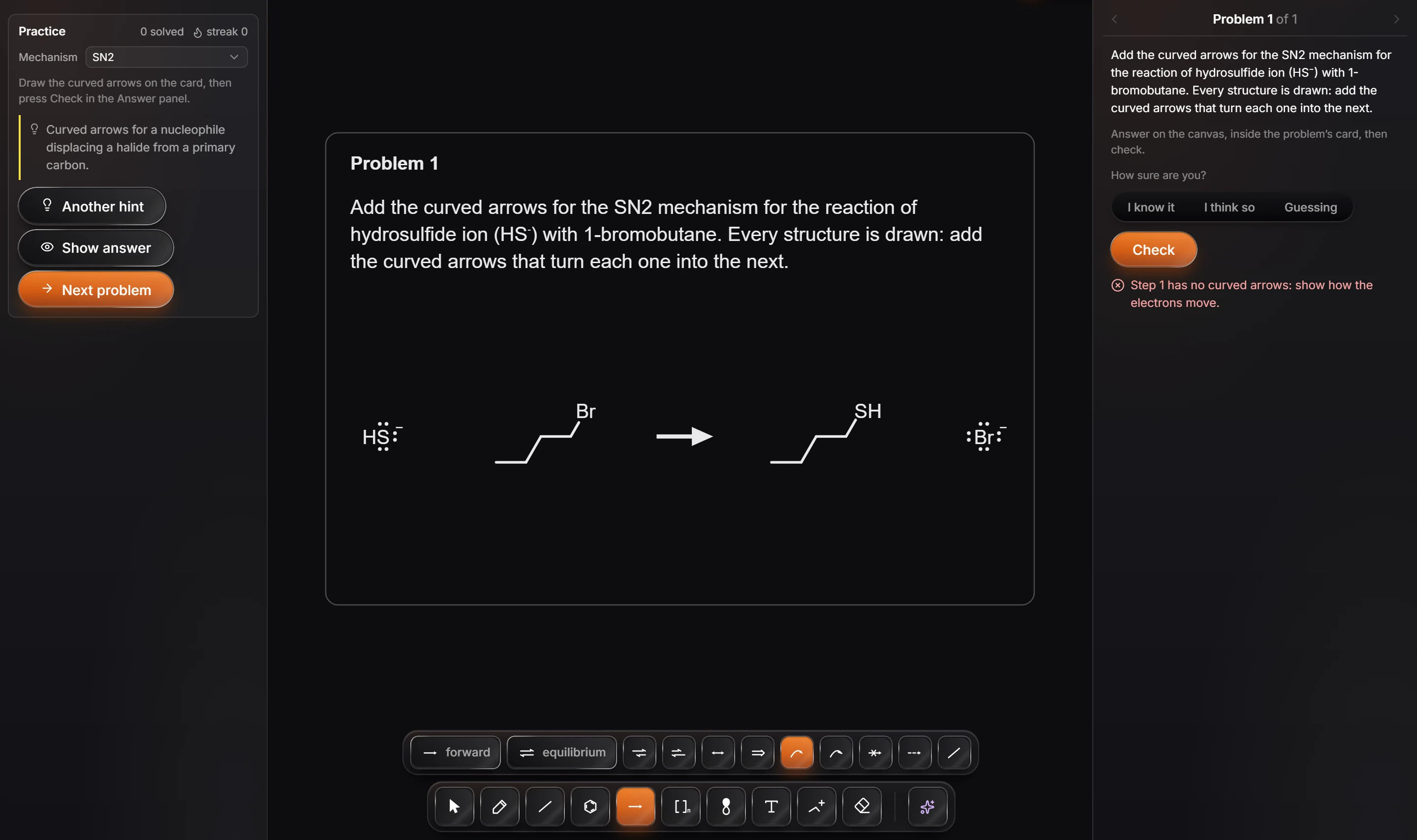
- Arrows only, by default. Every structure is drawn for you; you add the curved arrows that turn each one into the next. Turn on Also draw the products to draw the products yourself as well.
- Check names the step that is wrong, for example "Step 1 has no curved arrows: show how the electrons move."
- Hint gives a nudge, and Another hint a bigger one.
- Show answer turns the answer key face up after you confirm. That problem counts as shown, which ends your streak.
- Mechanism picks the kind (SN2, E2, SN1, E1, proton transfer and more, or Random), and changes the problem right away.
- The panel keeps count of how many you have solved and your current streak.
Is this helpful?
Last updated Nov 12, 2026
- Still stuck? Read the FAQ or contact support.
- Something wrong on this page? Tell us.
- For AI tools: llms.txt