
How to register a compound and its batches
Select the structure and choose Object › Chemistry › Register compound. A new compound gets an ID such as ATH-000001 and this drawing becomes its batch ATH-000001-001.
Steps
Select the structure.
Choose Main menu › Object › Chemistry › Register compound.
Athanor works out the Parent, the Salt form and the Batch, with the InChIKey. A new compound gets the next ID, such as ATH-000001, and this drawing becomes its batch ATH-000001-001.
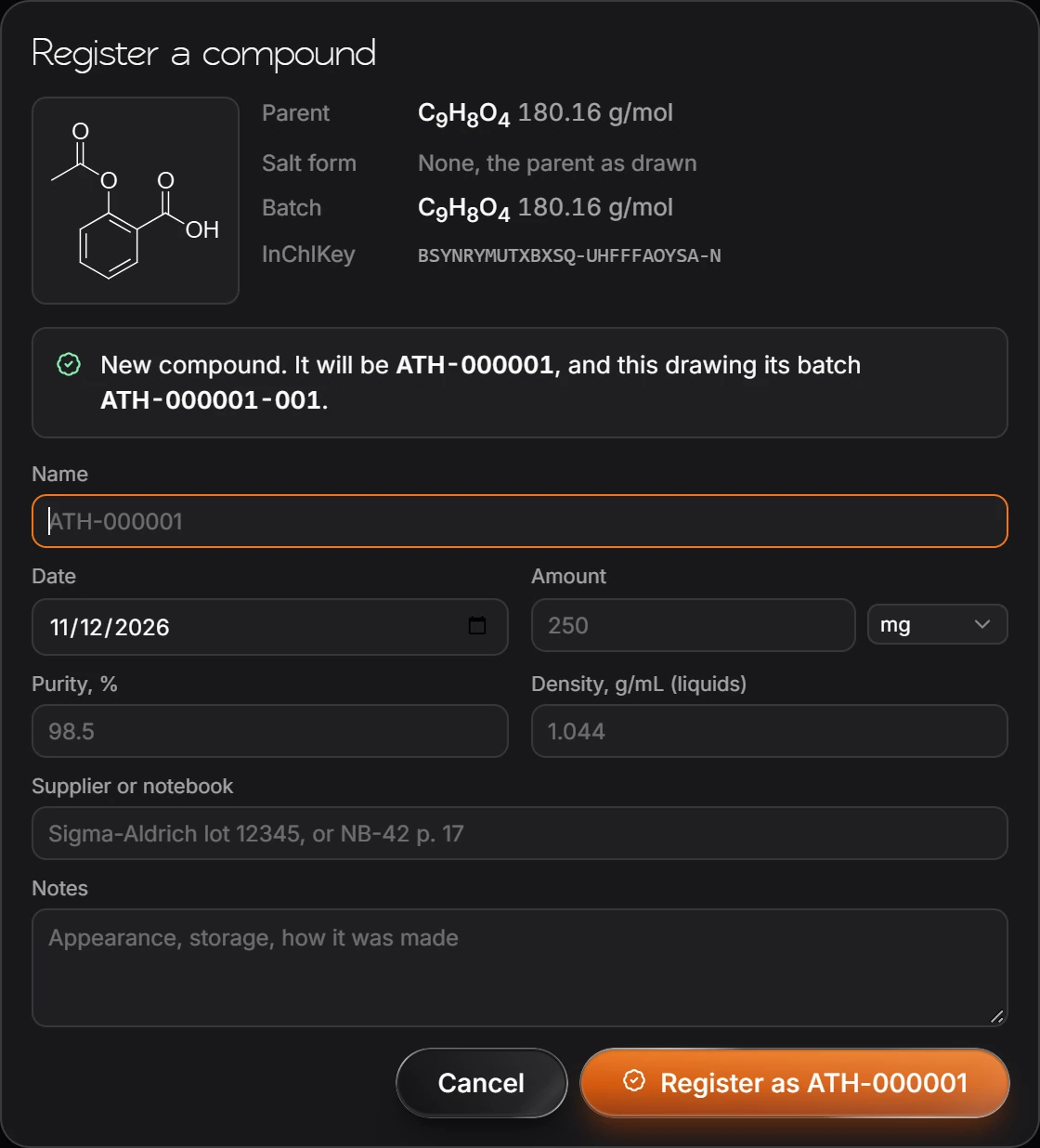
Fill in what you know: Name, Date, Amount, Purity, Density for liquids, Supplier or notebook, and Notes.
Press Register.
A component that is not on the salt list is kept as part of the batch, not stripped silently, and the window says so.
Is this helpful?
Last updated Nov 12, 2026
- Still stuck? Read the FAQ or contact support.
- Something wrong on this page? Tell us.
- For AI tools: llms.txt