
How to enumerate a compound library
Choose Insert › Enumerate a library, pick a named reaction such as Amide coupling or draw one, list the building blocks one per line as a name and SMILES, and press Enumerate.
Steps
Choose Main menu › Insert › Enumerate a library.
Pick a named reaction for Step 1, such as Amide coupling, or draw a reaction with R1, R2 on its reactants and its atoms numbered.
List the building blocks, one per line, as a name and a SMILES, for example
Acetic acid, CC(=O)O.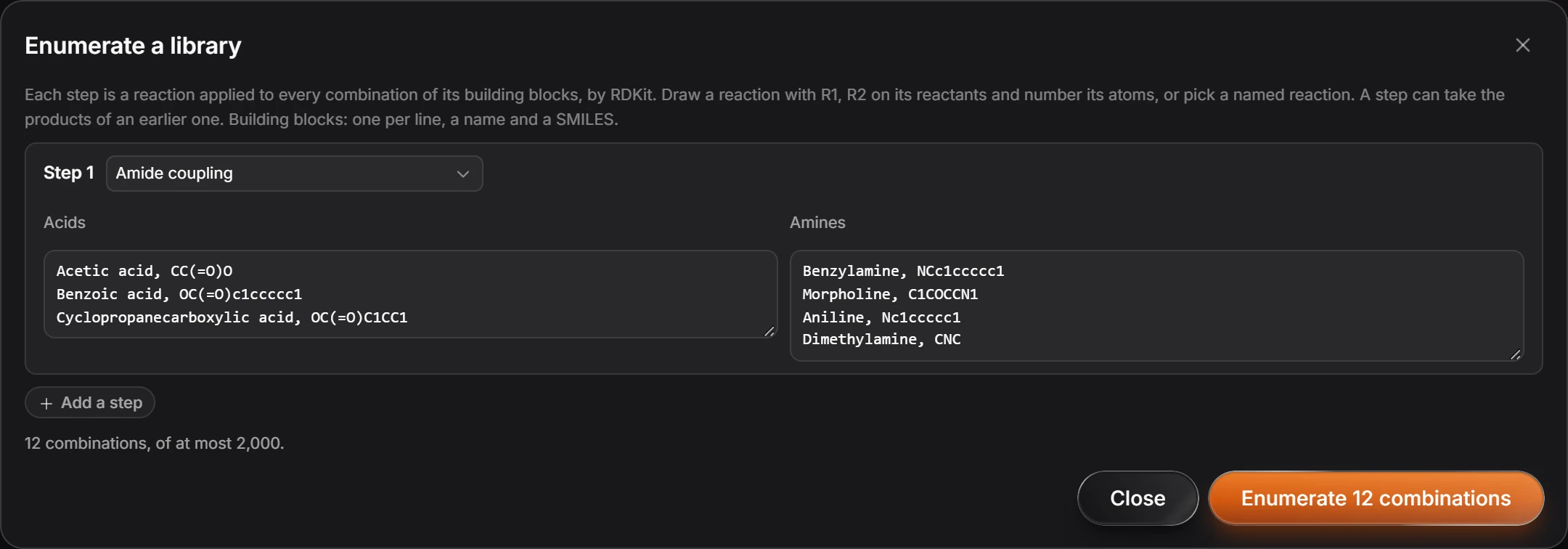
Add a step to react the products of an earlier step again.
The window counts the combinations, up to 2,000. Press Enumerate to run it.
Is this helpful?
Last updated Nov 12, 2026
- Still stuck? Read the FAQ or contact support.
- Something wrong on this page? Tell us.
- For AI tools: llms.txt