
How to run Python scripts with RDKit
Choose Insert › Run a Python script, write or open a script, and press Run (Ctrl+Enter). It reads the page through athanor.doc and rdkit, prints below, and places its changes as one undo step.
Steps
Choose Main menu › Insert › Run a Python script. The editor opens with an example that counts the rings in every structure on the page.
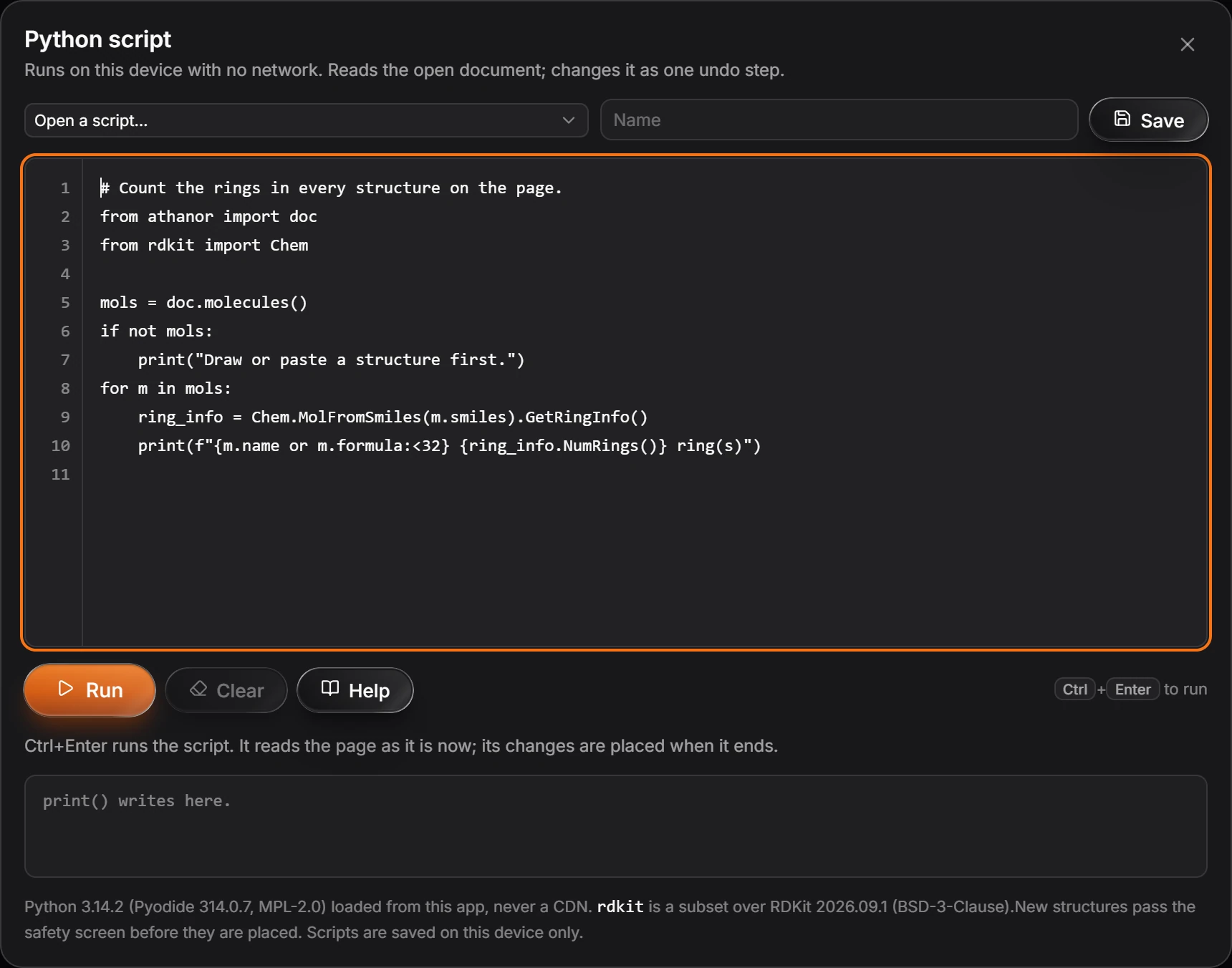
Edit the script, or Open a script… you saved before.
Press Run or Ctrl+Enter.
print()writes below the editor.Give it a name and press Save to keep it.
What a script can do
from athanor import docreads the page as it is when you run it;doc.molecules()lists its structures, each with.smiles,.nameand.formula.from rdkit import Chemgives a subset of RDKit.- Changes are placed when the script ends, as one undo step. New structures pass the safety screen before they are placed.
Note
Scripts run on this device with no network, in Python loaded from the app itself, never a CDN. Scripts are saved on this device only.
Is this helpful?
Last updated Nov 12, 2026
- Still stuck? Read the FAQ or contact support.
- Something wrong on this page? Tell us.
- For AI tools: llms.txt