
Embed the Athanor editor
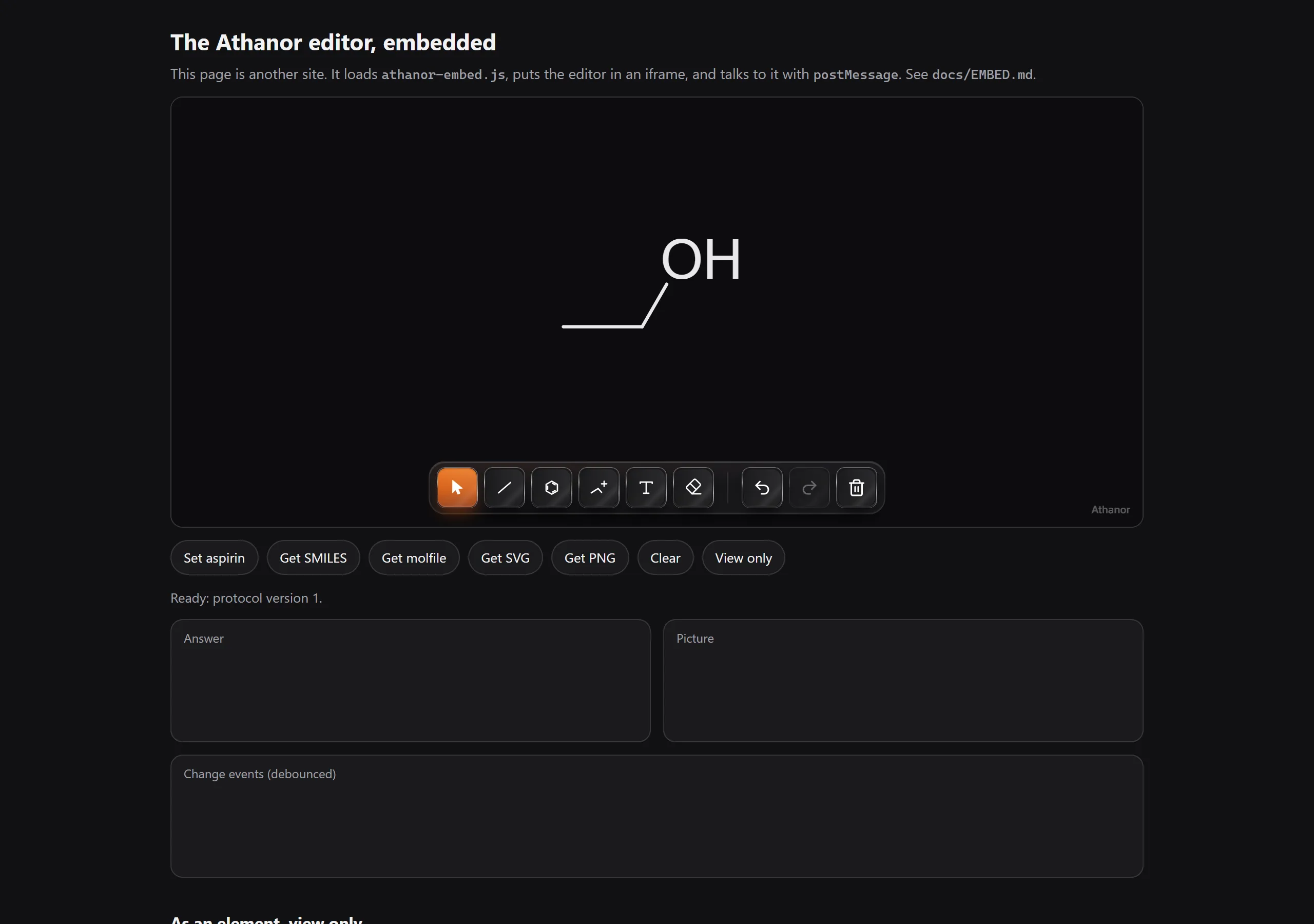
Load https://athanor.arbastro.com/app/embed/athanor-embed.js and call AthanorEmbed.create("#editor", { smiles: "CCO" }). The promise resolves to an editor you can set and read, and that tells you when it changes.
Put the Athanor structure editor on your own page, such as a course in an LMS, an ELN or a compound database, and talk to it from your code. The editor runs in an iframe from the Athanor site; your page talks to it with postMessage through a small script, or through an <athanor-editor> element built on it.
Quick start
- Give the editor a container with a height.
- Load the script.
- Create the editor, then set and read structures.
<div id="editor" style="height: 420px"></div>
<script src="https://athanor.arbastro.com/app/embed/athanor-embed.js"></script>
<script>
  AthanorEmbed.create('#editor', { smiles: 'CCO' }).then(async (editor) => {
    editor.on('change', (e) => console.log('now', e.smiles));
    await editor.setStructure('CC(=O)Oc1ccccc1C(=O)O');   // aspirin
    const molfile = await editor.getMolfile();
  });
</script>
create resolves once the editor has answered the handshake, usually within a second or two of the iframe loading.
What you can do
- Set a structure as SMILES, a molfile, MRV, CDXML or HELM.
- Read it back as SMILES, a molfile, SDF, MRV, CML, CDXML, InChI, InChIKey, SVG or PNG.
- Hear when it changes, debounced so a drag is one change.
- Switch it to view only, or change its theme in place.
The embedded editor shows the canvas and a slim toolbar, and nothing else: no Home, tabs, panels or account. It saves nothing on the reader's device. See security.
Coming from Marvin JS or Ketcher? See How to move from Marvin JS or Ketcher.
Is this helpful?
Last updated Nov 12, 2026
- Still stuck? Read the FAQ or contact support.
- Something wrong on this page? Tell us.
- For AI tools: llms.txt